
In February 2025, Andrej Karpathy casually named a revolution: vibe coding. A year later, he nominated its successor: agentic engineering. As of July 2026, the shift isn't semantic—it represents a fundamental change in how professionals build software with AI.
This guide covers everything you need to master agentic coding: the concepts, patterns, tools, and hard-won best practices from practitioners building production systems with AI agents.
Want the leverage without running terminals yourself? TeamDay hosts six coding harnesses server-side — Claude Code, Codex, Gemini CLI, Grok, Pi, and opencode — and Max, an AI app builder, uses them to plan, build, and ship on a schedule.
Hire Max, your agentic engineer →What Is Agentic Coding?
Agentic coding is a software development approach where AI agents autonomously handle coding tasks—planning, executing, and iterating with minimal human intervention.
Unlike traditional AI coding assistants that offer single suggestions, agentic coding agents operate in continuous feedback loops:
- Analyze the task and surrounding context
- Plan an approach (file changes, dependencies, architecture)
- Execute by writing, modifying, or deleting code
- Test the results (run builds, execute tests, check outputs)
- Iterate based on feedback until the task is complete
The key distinction: you're not writing code—you're orchestrating agents who write it.
The Three Pillars of Agentic Coding
According to Apiiro's security research, agentic coding rests on three pillars:
| Pillar | Description | Your Role |
|---|---|---|
| Autonomy | Agents make independent decisions about code approaches | Define boundaries and goals |
| Context | Agents analyze code, dependencies, and system requirements | Provide clear project structure |
| Control | Guardrails ensure safety and compliance | Establish review processes |
When all three work together, you get leverage without compromise. When any fails, you get technical debt, security vulnerabilities, or worse.
Vibe Coding vs. Agentic Coding: The Evolution
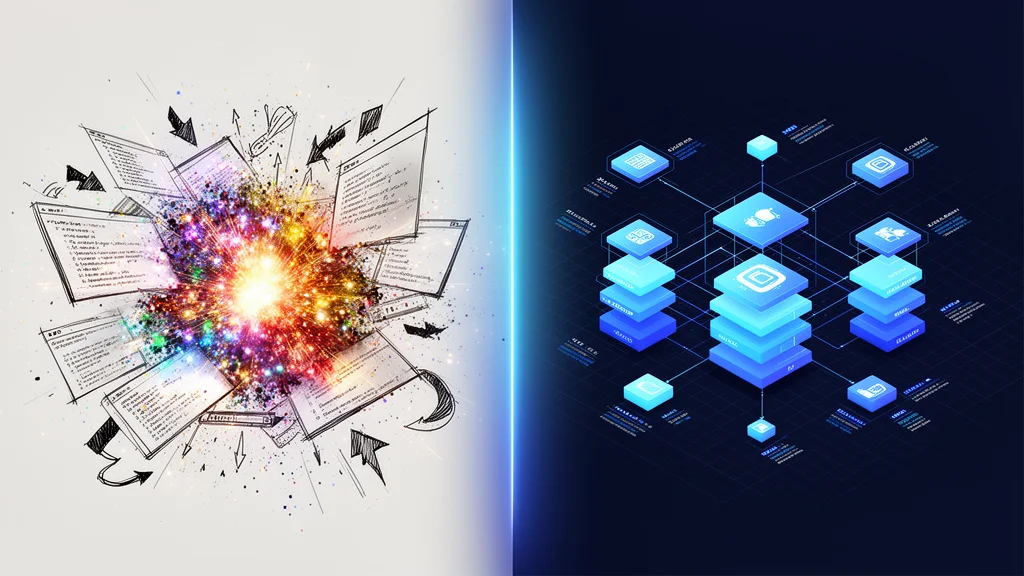
Karpathy's retrospective captures the distinction perfectly:
"At the time [February 2025], LLM capability was low enough that you'd mostly use vibe coding for fun throwaway projects, demos and explorations. It was good fun and it almost worked. Today, programming via LLM agents is increasingly becoming a default workflow for professionals, except with more oversight and scrutiny."
| Aspect | Vibe Coding | Agentic Coding |
|---|---|---|
| Goal | Get it working quickly | Professional quality without compromise |
| Use Case | Demos, prototypes, experiments | Production systems, enterprise software |
| Workflow | Describe → Generate → Vibe-check | Architect → Orchestrate → Test → Review |
| Quality Bar | "It almost worked" | "It meets production standards" |
| Engineer Role | Prompt writer + patcher | Architect + orchestrator + reviewer |
| Error Rate | ~40% higher vulnerability rate | Systematic review + automated scanning |
The goal of agentic coding is explicit: claim the leverage of AI agents without compromising on software quality.
The Five Agentic Patterns
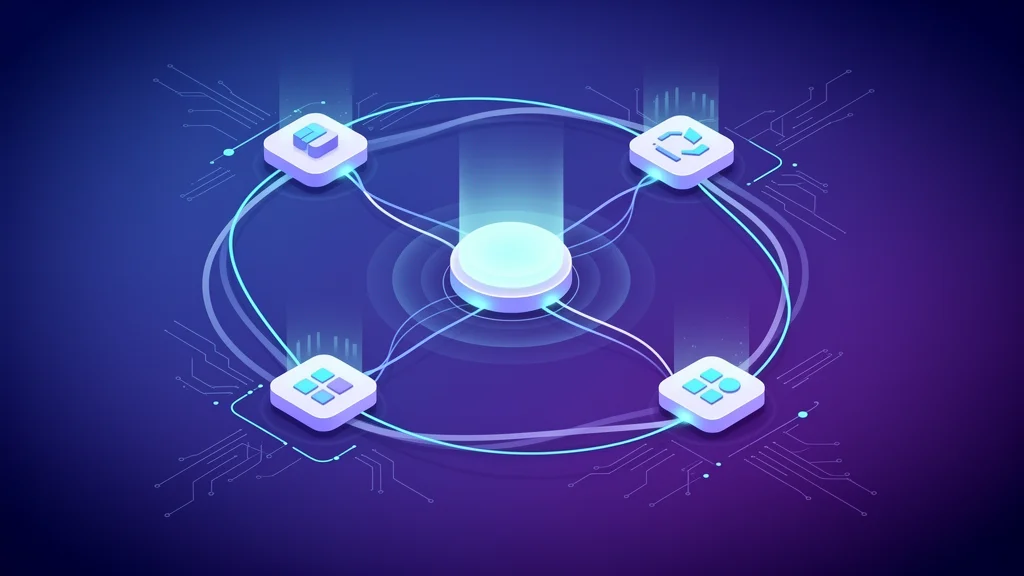
Anthropic's research identifies five fundamental patterns for building agentic systems. Understanding these helps you choose the right approach for each task.
1. Prompt Chaining
What it is: Decompose tasks into sequential steps where each LLM call processes the output of the previous one.
When to use: Tasks with clear stages—content generation, multi-step transformations, document processing.
Example workflow:
1. Generate outline → 2. Expand sections → 3. Review for consistency → 4. Format output
Tradeoff: More latency, but higher accuracy. Each step can be optimized and validated independently.
2. Routing
What it is: Classify inputs and direct them to specialized handlers.
When to use: When different input types require different processing approaches.
Example:
User request → Classifier
                    ├── Bug fix → Debug agent
                    ├── New feature → Architecture agent
                    ├── Refactor → Refactoring agent
                    └── Question → Research agent
Why it matters: Prevents optimization for one input type from degrading performance on others.
3. Parallelization
What it is: Execute multiple LLM calls simultaneously.
Two approaches:
- Sectioning: Split task into independent subtasks, run in parallel, merge results
- Voting: Run same task multiple times, aggregate for confidence
When to use: Independent subtasks (file analysis, test generation) or when you need higher confidence.
4. Orchestrator-Workers
What it is: A central LLM dynamically decomposes tasks and delegates to specialized workers.
When to use: Complex, unpredictable tasks where step count can't be predetermined—coding projects, research tasks.
Architecture:
Orchestrator (planning + coordination)
        ├── Worker 1: File analysis
        ├── Worker 2: Code generation
        ├── Worker 3: Test writing
        └── Worker 4: Documentation
This is the pattern most agentic coding tools use.
5. Evaluator-Optimizer
What it is: One LLM generates output, another evaluates and provides feedback in iterative loops.
When to use: Tasks requiring refinement—code review, content editing, optimization problems.
Example:
Generator: Write function
    ↓
Evaluator: Review for edge cases, security, style
    ↓
Generator: Revise based on feedback
    ↓
(repeat until quality bar met)
Tools for Agentic Coding
Claude Code
Anthropic's official CLI for agentic coding. Runs in your terminal with full filesystem and command access.
Key features:
- Extended thinking for complex reasoning
- Multi-file editing with context awareness
- Tool use (bash commands, file operations)
- MCP (Model Context Protocol) for external integrations
- CLAUDE.md files for project-specific instructions
Best for: Developers comfortable with terminal workflows who want maximum control. See our Claude Code best practices guide for battle-tested configuration patterns, or run it without a local install through TeamDay's hosted Claude Code harness.
Cursor
AI-first code editor built on VS Code. Integrates multiple models with IDE convenience.
Key features:
- Composer for multi-file agent tasks
- Inline completions and chat
- Codebase-wide context
- Multiple model support (Claude, GPT, etc.)
Best for: Developers who prefer IDE-integrated workflows.
GitHub Copilot (Agent Mode)
GitHub's AI assistant with agentic capabilities via Copilot Workspace.
Key features:
- Issue-to-PR workflows
- Multi-file planning and execution
- GitHub integration (PRs, issues, actions)
- VS Code and JetBrains support
Best for: Teams already in the GitHub ecosystem.
Cline
Open-source VS Code extension for agentic coding.
Key features:
- Autonomous task execution
- Browser automation support
- Multiple model backends
- Fully transparent operations
Best for: Developers who want open-source tooling with customization options.
Other Notable Tools
- Aider: Terminal-based pair programming with Git integration
- Continue: Open-source IDE extension supporting multiple models
- Codex (OpenAI): Cloud-based agent for autonomous coding tasks
- opencode: Open-source terminal agent that works with many model providers — available server-side as a TeamDay harness
- Amazon Q Developer: AWS-integrated coding agent
You don't have to pick one and install it locally. TeamDay's harness layer runs Claude Code, Codex, Gemini CLI, Grok, Pi, and opencode server-side, so the same brief can be executed by whichever agent fits the task.
The fastest way to try every tool in this list: TeamDay runs Claude Code, Codex, Gemini CLI, Grok, Pi, and opencode in the cloud. Describe the app or automation you need, and Max builds it with the right harness.
Try all six harnesses free →Best Practices from Practitioners
These recommendations come from developers building production systems with agentic coding—Simon Willison, Armin Ronacher, DHH, and the Anthropic team.
1. Start Simple, Add Complexity When Needed
"Success in the LLM space isn't about building the most sophisticated system. It's about building the right system for your needs." — Anthropic
Before reaching for agents, try:
- Single optimized prompt with good context
- Retrieval augmentation (RAG) for relevant information
- Few-shot examples for format and style
Only add agentic patterns when simpler approaches demonstrably underperform.
2. Design Tools for LLM Consumption
Agent tools need different design principles than human-facing APIs:
Do:
- Write thorough documentation for each tool
- Use natural formats (prose, markdown) over structured formats
- Give models tokens to "think" before outputting actions
- Handle errors gracefully with informative messages
Don't:
- Require precise line counts or character positions
- Use formats needing complex calculations or escaping
- Assume the model will use tools correctly on first try
Armin Ronacher's principle: "Tools need to be protected against an LLM chaos monkey using them completely wrong."
3. Make Everything Observable
When agents operate autonomously, you need visibility into what they're doing.
Practical approaches:
- Pipe all output to both terminal and log files
- Consolidate logs from multiple sources (server, tests, builds)
- Display agent planning steps explicitly
- Record commands executed and their results
Simon Willison's technique: Use unified logging so agents can monitor their own operations and recover from errors.
4. Run with Guardrails
Agents with full system access are powerful—and dangerous. Protect yourself:
For development:
- Use Docker containers for isolation
- Run agents in sandboxed environments
- Limit filesystem access to project directories
- Review commands before execution (or use approval workflows)
For production:
- Implement security scanning on generated code
- Use type systems to enforce contracts
- Automated tests as validation gates
- Human review for sensitive operations
5. Choose Languages That Help Agents
Some languages and frameworks work better with agents than others.
Good for agents:
- Go: Explicit context, straightforward testing, structural interfaces
- TypeScript: Strong types catch agent mistakes early
- Rust: Compiler enforces correctness
Challenging for agents:
- Heavy use of "magic" (pytest fixtures, Rails conventions)
- Complex async patterns
- Deep framework abstractions
Ronacher's insight: "Prefer simple, descriptive function names over clever classes. Use plain SQL rather than complex ORMs. Keep permission checks locally visible."
6. Speed Matters
Fast feedback loops enable productive agentic workflows:
- Fast compilation: Agents iterate faster with quick builds
- Fast tests: Agents can validate changes frequently
- Fast tool responses: Hanging tools break agent flow
If your toolchain is slow, agents will struggle. Invest in build optimization.
7. Segment Shared State for Parallelization
When running multiple agents:
- Don't: Have agents compete for same database, filesystem, or resources
- Do: Give each agent isolated state (separate databases, directories)
- Do: Merge results at defined synchronization points
This prevents conflicts and enables true parallel work.
The Agentic Engineering Workflow
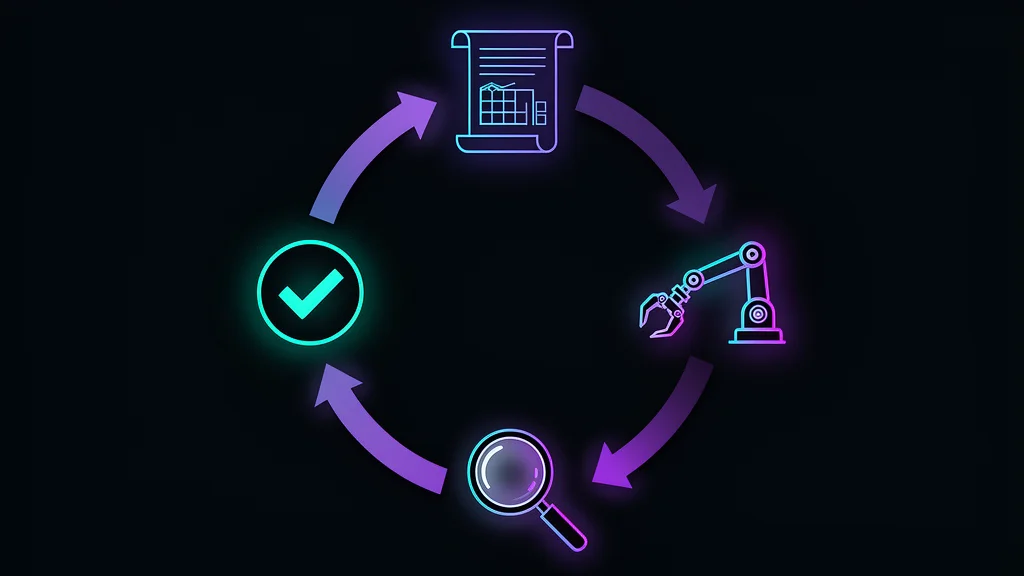
Here's how experienced practitioners structure their work:
Phase 1: Architect the Solution
You do this. Define:
- Data models and API contracts
- Component hierarchies and boundaries
- Error handling patterns
- Security requirements
Don't give agents vague prompts. Give them precise specifications.
Phase 2: Orchestrate Implementation
The agent does this. Execute:
- Multi-file refactors
- Type-safe migrations
- Test coverage expansion
- Documentation updates
The agent handles mechanical work while maintaining consistency with your architecture.
Phase 3: Test and Validate
You do this. Verify:
- Edge cases the agent didn't consider
- Performance under realistic load
- Security implications
- User experience flows
Act as QA, providing specific feedback on what needs adjustment.
Phase 4: Review and Approve
You do this. Check:
- Code patterns against project standards
- Architectural consistency
- Security vulnerabilities
- Long-term maintainability
The engineer is the final approval gate. Never skip this.
Real-World Example: DHH's Dual-Model Workflow
David Heinemeier Hansson (creator of Ruby on Rails) described his agent-first workflow at 37 Signals: he runs two models in parallel — a fast model (Gemini) for quick iterations and Opus for complex reasoning — reviewing diffs in Neovim as they come in. When facing 250 pending PRs before a release, he processed 100 in 90 minutes by pointing Claude at each PR URL. The agent reviewed code, identified issues, and implemented fixes in the project's style — work that would have taken days manually. His key insight: "I'm code first, everything" became "Now I start with the agent" within weeks of the Opus 4.5 release.
Common Pitfalls and How to Avoid Them
Pitfall 1: Premature Complexity
Problem: Building sophisticated multi-agent systems when a well-crafted prompt would suffice.
Solution: Start with the simplest approach. Add complexity only when you hit measurable limitations.
Pitfall 2: Blind Trust
Problem: Accepting agent output without review. "It compiled, ship it."
Solution: Every change gets reviewed. Develop pattern recognition for agent-generated code—common failure modes, security vulnerabilities, architectural drift.
Pitfall 3: Poor Project Structure
Problem: Agents struggle with disorganized codebases, unclear conventions, missing documentation.
Solution: Invest in project hygiene:
- Clear file organization
- CLAUDE.md or equivalent with project conventions
- Type definitions and interfaces
- Comprehensive test suites
Well-structured projects enable better agent performance.
Pitfall 4: Inadequate Testing
Problem: Relying on agents to "just work" without verification.
Solution: Automated tests become even more critical:
- Unit tests catch logic errors
- Integration tests verify component interaction
- E2E tests validate user workflows
- Security scans identify vulnerabilities
Tests are your safety net when agents make mistakes.
Pitfall 5: Context Overload
Problem: Giving agents too much context, causing confusion or quality degradation.
Solution:
- Focus agent attention on relevant files
- Use sub-agents for isolated research tasks
- Clear conversation history when switching contexts
- Provide concise, targeted instructions
Pitfall 6: Abandoned Patterns
Problem: Agents introduce patterns, you move on, the old pattern remains in code. Future agents copy the old pattern.
Solution: Refactor aggressively. Extract components before complexity compounds. Don't let deprecated patterns linger.
Security Considerations

Agentic coding introduces unique security challenges. Apiiro's research highlights:
| Risk | Description | Mitigation |
|---|---|---|
| Vulnerability Introduction | Agents may generate code with security flaws | Automated security scanning, code review |
| Unvetted Dependencies | Agents may add libraries without security review | Dependency policies, lockfiles |
| Business Logic Flaws | Agents may misunderstand requirements | Thorough specification, validation testing |
| Error Escalation | Small agent mistakes compound rapidly | Incremental changes, frequent validation |
| Data Exposure | Agents may log or expose sensitive data | Explicit data handling rules, monitoring |
Best practice: Treat agent-generated code with the same scrutiny you'd apply to contributions from a new junior developer—verify everything.
Measuring Success
How do you know if agentic coding is working for you?
Productivity Metrics
- Time to feature: How long from requirement to working code?
- Iteration speed: How quickly can you try and validate ideas?
- Code volume: How much functional code produced per session?
Quality Metrics
- Bug rate: Are agents introducing more bugs than manual coding?
- Security findings: Are vulnerability scans catching more issues?
- Technical debt: Is code maintainable long-term?
Learning Metrics
- Agent accuracy: How often does the agent produce correct output on first try?
- Correction effort: How much time spent fixing agent mistakes?
- Pattern recognition: Are you getting better at spotting agent issues?
Track these over time. If quality metrics decline while productivity increases, you're accumulating hidden debt.
The Future of Agentic Coding
Karpathy's prediction for 2026 and beyond:
"We're likely to see continued improvements on both the model layer and the new agent layer. I feel excited about the product of the two and another year of progress."
The gains compound:
- Better models = longer autonomous task horizons, fewer mistakes, deeper context understanding
- Better agent orchestration = multi-agent collaboration, specialized tool use, improved oversight systems
- Together = feedback loop where better models enable more sophisticated workflows, revealing new capabilities to target
We're already seeing this: VS Code shipping "Agent Sessions," GitHub Copilot supporting multiple agent backends, OpenRouter routing between 100+ models for task-specific optimization — including a tier of OpenRouter free models for extraction, routing, and first drafts before you spend on frontier tokens.
Agentic coding isn't a fringe experiment—it's becoming the default way professionals build software.
Getting Started: Your First Week
Day 1-2: Setup and Basics
- Install an agentic tool (Claude Code, Cursor, or Cline)
- Create a sandbox project for experimentation
- Run basic tasks: File creation, simple edits, command execution
- Observe: How does the agent reason? What mistakes does it make?
Day 3-4: Project Integration
- Add project documentation (CLAUDE.md with conventions, patterns)
- Try a real task: Bug fix or small feature in your codebase
- Practice review: Scrutinize every change the agent makes
- Iterate: Refine your prompts based on agent behavior
Day 5-7: Workflow Development
- Establish patterns: What types of tasks work well? Which need more oversight?
- Build guardrails: Automated tests, security scans, review checklists
- Measure: Track time saved vs. correction effort
- Adjust: Refine your approach based on data
Conclusion: From "It Almost Worked" to "It Works"
One year ago, vibe coding was cutting edge—fast, fun, and fragile. Today, agentic engineering is the professional standard—systematic, rigorous, and reliable.
The transition matters. The goal isn't just speed—it's leverage without sacrifice. You get the productivity benefits of AI agents while maintaining the quality standards of professional software engineering.
This requires new skills:
- Architecting solutions that agents can implement correctly
- Orchestrating agents to execute complex, multi-step tasks
- Reviewing at scale to catch mistakes before they compound
- Designing feedback loops that improve agent performance over time
These aren't trivial skills. They require deep technical knowledge—you need to understand what good code looks like to recognize when the agent produces it.
But the leverage is real. One engineer can maintain systems that previously required entire teams. Not because the AI writes perfect code, but because the engineer knows how to architect, orchestrate, test, and maintain oversight. It's the same operating model behind Max, TeamDay's AI app builder: an agent that plans, executes, verifies, and ships on a recurring schedule, with a human as the approval gate.
The question isn't whether to adopt agentic workflows. It's whether you'll develop the skills to do it well.
Skip the seven-day setup week. TeamDay gives you the agentic workflow as a hire: Max architects, orchestrates the harnesses, tests, and ships — you review and approve, exactly as this guide prescribes.
Get started — ship your first agent-built app →Resources
Official Documentation
- Claude Code Documentation
- Anthropic: Building Effective Agents
- MCP (Model Context Protocol) Specification
Practitioner Guides
- Simon Willison on Agentic Coding
- Armin Ronacher's Agentic Coding Recommendations
- Karpathy on Vibe Coding to Agentic Engineering
Tools
- Claude Code - Anthropic's CLI agent
- Cursor - AI-first code editor
- Cline - Open-source VS Code extension
- Aider - Terminal pair programming
AI Employees Built on Agentic Coding
- Max, AI app builder — applies these patterns as a dedicated role: plans, executes, and ships weekly on a recurring schedule
- All AI employees — roles across engineering, SEO, content, design, and more, each running agentic workflows in their domain
- Build an AI engineering team — a manager plus specialists reporting up, so one role scales into a full org chart when the work outgrows a single agent
Related Reading
- From Vibe Coding to Agentic Engineering - The evolution in one year
- Best AI Models on OpenRouter - Choosing models for agentic work
- OpenRouter free models - Free models for extraction, routing, and first drafts before you spend on frontier tokens