
Updated September 23, 2026. The short answer: there is no single best AI image model; the right one depends on the job. For most business work, start with GPT Image 2.5 Sunburst (strongest all-rounder and editor), Nano Banana 2 (best value for realistic photos), Grok Imagine Image 2.0 (fast, cheap and good at layouts), Qwen-Image 3.0 Pro or Seedream 5.0 Pro (dense text and infographics), Meta Muse Image (cheapest at $0.01), Recraft V4.1 (design and vector work) and Midjourney V8.2 (art direction, no API).
Since our July edition, OpenAI shipped GPT Image 2.5 (September 8), Microsoft, Meta and xAI all entered the top ten of the public leaderboard, Alibaba released Qwen-Image 3.0, and Midjourney moved to V8.2. We also changed how we test. Everything below is based on vendor documentation and pricing pages checked on September 22–23, 2026, plus 24 images we generated ourselves: the same three business prompts sent to eight models. Jump to the side-by-side results.
Skip the model shopping: Teamday's image studio runs GPT Image 2.5, Nano Banana 2, Seedream, FLUX.2, Grok and more from one prompt box. Your first images run on our keys, so there's no API setup. Iris, the AI designer, can write the brief for you.
Make your first image now →Top Picks by Job
| Your job | Start with | Runner-up |
|---|---|---|
| General production images and precise edits | GPT Image 2.5 Sunburst | GPT Image 2.5 Flare (faster) |
| Realistic people and product photos on a budget | Nano Banana 2 | Grok Imagine Image 2.0 |
| Posters, social graphics, headlines | GPT Image 2.5 Sunburst | Grok Imagine Image 2.0 |
| Dense text: menus, infographics, multilingual | Qwen-Image 3.0 Pro | Seedream 5.0 Pro |
| Highest volume at the lowest price | Meta Muse Image ($0.01) | Nano Banana 2 Lite |
| Brand graphics, icons, vector output | Recraft V4.1 | Ideogram 4 |
| Open weights and self-hosting | Ideogram 4 | FLUX.2 [klein] |
| Art direction and mood exploration | Midjourney V8.2 (no API) | Reve 2.1 |
| Adobe-centred teams | Firefly Image 5 | — |
September 2026 Comparison Table
API prices are the vendor's list prices per image at roughly 1 megapixel (1024×1024) unless noted. Several vendors now bill by tokens or megapixels, so your real price depends on size and quality.
| Model | Maker | Best for | API price / image | Text (our test) | Editing |
|---|---|---|---|---|---|
| GPT Image 2.5 Sunburst | OpenAI | All-round production, precise edits | Token-billed; ~$0.014 in our medium 1024² runs | Passed; best poster layout | Yes, including masks |
| GPT Image 2.5 Flare | OpenAI | Fast everyday generation | Token-billed, same rates as Sunburst | Not tested (Arena #2) | Yes |
| Nano Banana 2 (Gemini 3.1 Flash Image) | Photoreal, fast iteration | $0.067 (1K), $0.101 (2K), $0.151 (4K) | Passed | Yes, conversational | |
| Nano Banana 2 Lite | Volume at low cost | $0.034 (1K); $0.017 batch | Vendor claims legible text | Yes | |
| Nano Banana Pro (Gemini 3 Pro Image) | Complex briefs, 4K | $0.134 (1K/2K), $0.24 (4K) | Not tested | Yes | |
| MAI-Image-2.6 | Microsoft | Photoreal, commercial imagery | Token-billed on Foundry (preview); no official per-image price | Vendor claims large gains | Not verified |
| Grok Imagine Image 2.0 | xAI | Fast, cheap, clean layouts | $0.04 (1K low); up to $0.08 (2K medium) | Passed; strong layout | Yes (+$0.01 per input image) |
| Reve 2.1 | Reve | Aesthetic quality, layout-aware 4K | Credit-billed; not verified | Not tested | Yes |
| Muse Image | Meta | Cheapest at volume, candid scenes | $0.01 | Passed (swapped the em dash) | Yes |
| Seedream 5.0 Pro / Lite | ByteDance | Infographics, spatial edits / budget | Pro $0.045 (≤2.36 MP, reported); Lite ~$0.035 | Passed (Lite) | Yes |
| Qwen-Image 3.0 Pro | Alibaba | Dense layouts, small text, 12 languages | $0.04 (1K), $0.075 (2K) | Passed (fal endpoint); vendor claims 10px text | Separate edit endpoint |
| FLUX.2 [pro] / [max] / [klein] | Black Forest Labs | API pipelines, open weights ([klein]) | From $0.03 / $0.07 / $0.014 per megapixel | Passed ([max]); weak poster layout | Yes |
| Ideogram 4 | Ideogram | Typography, open weights | $0.03 / $0.06 / $0.10 (Turbo / Balanced / Quality, 2048²) | Passed; small headline | Not verified |
| Recraft V4.1 | Recraft | Design, brand graphics, SVG | $0.035; Pro $0.21 | Not tested | Not verified |
| Midjourney V8.2 | Midjourney | Art direction | No public API (subscription) | Not tested | Yes (edit model, Aug 2026) |
| Firefly Image 5 | Adobe | Adobe workflows | Enterprise Firefly Services pricing | Not tested | Yes |
| Hy Image 3.5 Preview | Tencent | New entrant (Sept 22, 2026) | Not verified | Not tested | Yes, multi-turn |
Sources for prices: OpenAI Sunburst and Flare model pages, Gemini API pricing, xAI models and pricing, Meta Muse Image, Alibaba Model Studio: qwen-image-3.0-pro, BFL pricing, Recraft changelog, and fal's Ideogram 4 listing. The Seedream 5.0 Pro price comes from third-party reports of BytePlus ModelArk pricing, and fal lists it at $0.0675. The ~$0.014 GPT Image 2.5 figure is our own measurement: 439 output image tokens at OpenAI's $30 per million, medium quality, 1024×1024. High quality costs more. "Vendor claim" means we did not verify it ourselves.
What the Leaderboard Says
The LMArena text-to-image leaderboard ranks models by blind human votes. On September 21, 2026 it had 6.26 million votes across 79 models:
| Rank | Model | Arena score |
|---|---|---|
| 1 | GPT Image 2.5 Sunburst | 1423 |
| 2 | GPT Image 2.5 Flare | 1401 |
| 3 | GPT Image 2 (medium) | 1381 |
| 4 | MAI-Image-2.6 | 1334 |
| 5 | Grok Imagine Image 2.0 (low) | 1302 |
| 6 | Reve 2.1 | 1301 |
| 7 | Meta Muse Image | 1276 |
| 9 | Nano Banana 2 | 1260 |
| 10 | Seedream 5.0 Pro | 1256 |
| 11 | Qwen-Image 3.0 Pro | 1254 |
| 18 | Ideogram 4.0 (Quality) | 1204 |
| 24 | Recraft V4.1 Utility Pro | 1169 |
The leaderboard measures which image people prefer at a glance. It doesn't measure edit reliability, brand consistency, or cost per approved asset. OpenAI's lead is real, but places 4 to 11 are separated by about 80 points. On a specific business brief, the order often changes, which is why we ran our own test.
The Models, One by One
1. GPT Image 2.5 Sunburst and Flare: Best All-Rounder
OpenAI released two models on September 8, 2026. Sunburst is the precision model, which OpenAI recommends when "editing precision matters most". Flare is built for fast everyday generation. Both accept text and image input, support inpainting, offer quality levels from low to max, and bill $30 per million image output tokens. Sunburst is #1 on LMArena and Flare is #2.
In our test, Sunburst was the only model that produced a finished-looking poster: clear hierarchy, exact copy, and a coherent illustration. It also gave a clean, realistic mug and bakery photo. Its weakness is instruction nuance. We asked for a candid portrait and got a smiling, posed one.
Choose it when: the asset will be revised, the copy must be exact, or you need edits that leave the rest of the image untouched. GPT Image 2, released in April, is still #3 on the leaderboard and remains a sensible default.
2. Nano Banana 2 Family: Best Value for Photoreal Work
Google's image line now has three tiers, all generally available on the Gemini API:
- Nano Banana 2 (
gemini-3.1-flash-image) is the workhorse: $0.067 per 1K image, $0.151 at 4K, and half that in batch. - Nano Banana 2 Lite (
gemini-3.1-flash-lite-image), launched June 30, costs $0.034 per 1K image and Google says it returns images in about 4 seconds. - Nano Banana Pro (
gemini-3-pro-image) is for complex briefs and 4K output, at $0.134–$0.24.
Nano Banana 2 gave the most convincing photographs in our test. On the mug, the label followed the curve of the ceramic. The bakery shot had a register, price boards and a wedding ring, and felt like a real shop. It ranks only #9 on the leaderboard, but for realistic product and people imagery we'd test it before paying more.
3. MAI-Image-2.6: Microsoft's Serious Entry
Microsoft launched MAI-Image-2.6 on August 10, 2026 and followed with MAI-Image-2.6-Flash on September 4. Both are in public preview on Microsoft Foundry. Microsoft reports gains in text rendering and portraits over 2.5. It's now #4 on LMArena. Pricing is token-based, and Microsoft hasn't published a per-image figure. We didn't include it in our test because it isn't on the routes we used. If your company already runs on Azure, it belongs on your shortlist.
4. Grok Imagine Image 2.0: Best Price-to-Quality API
xAI shipped Image 2.0 in August 2026 as grok-imagine-image-2.0. xAI's pricing starts at $0.04 per image, which is below the older Quality tier. fal lists $0.04–$0.08 depending on resolution and quality. The xAI API reported exact billed cost with every call: $0.04 each in our runs.
It was the surprise of our test. It produced the most realistic portrait texture and the second-best poster, finishing each image in about 13 seconds. For high-volume social content where a human still picks the final version, it's hard to beat.
5. Reve 2.1: Leaderboard Contender
Reve 2.1 is #6 on LMArena with a layout-first approach and native 4K output. Its API is credit-based, and we couldn't verify a per-image price from Reve's own pages. It wasn't part of our test. Check it if aesthetic quality matters more than integrations.
6. Meta Muse Image: Cheapest Serious Model
Meta's Muse Image is a reasoning image model: it plans the layout before it renders. It's available on Meta's Model API, fal, Runway and OpenRouter at $0.01 per image. Only Nano Banana 2 Lite in batch mode comes close.
In our test it was the only model that followed the word candid: the baker looks off-camera, mid-task, which is what we asked for. It also produced a clean, correct mug. Its poster changed our em dash (—) to a short en dash (–). That's minor, but it's exactly the kind of detail brand teams notice.
7. Seedream 5.0 Pro and Lite: Best for Infographics and Spatial Edits
ByteDance's Seedream 5.0 Pro went live on BytePlus ModelArk in July 2026. It's built for commercial production: dense infographics and edits guided by boxes, arrows, sketches and point selections (ModelArk tutorial). Third parties report a price of $0.045 per image up to 2.36 MP. Seedream 5.0 Lite (seedream-5-0-260128) is the cheaper tier, at around $0.035.
We tested Lite, because that's the version Teamday routes. It spelled every word correctly and gave a pleasant, slightly stock-photo portrait. It also made two instruction misses: the mug came out glossy instead of matte, and it was placed on a separate stone slab. On the poster, the em dash started the second line.
8. Qwen-Image 3.0 and Wan 2.7: Alibaba's Text Specialists
Alibaba released Qwen-Image 3.0 on July 21, 2026, and it became generally available on August 5. The Pro model page promises prompts up to 4.5K tokens, text as small as 10px, and 12 languages, at $0.04 per 1K image and $0.075 per 2K image (international region). It's #11 on LMArena. No open weights had been published for 3.0 at the time of writing.
On our three short prompts it did well. The results were correct, calm and well lit, but its strength (dense, multi-block layouts) wasn't what we tested. It was also the slowest model in our run, at 40–70 seconds per image through fal's queue. Wan 2.7 Image (April 2026) remains Alibaba's general image model with editing built in.
9. FLUX.2: Best Open API Family
Black Forest Labs' current image line is FLUX.2, priced per megapixel: [klein] from $0.014, [pro] from $0.03, [flex] from $0.05, and [max] from $0.07. FLUX 3 is live for video. BFL says FLUX 3 Image and open weights for the FLUX 3 Dev backbone are still rolling out, so don't plan around them yet.
FLUX.2 [max] handled the mug well, and even added a printed label frame. Its portrait was natural. It made the weakest poster, though: the headline sat at the top and the lower 60% of the canvas was empty.
10. Ideogram 4: Best Open-Weight Typography Model
Ideogram 4 (June 3, 2026) is a 9.3B-parameter model with open weights. It uses structured JSON prompts and outputs 2K images, at $0.03 / $0.06 / $0.10 per 2048² image for Turbo / Balanced / Quality on fal. Every word it rendered in our test was correct. Its poster, however, used a small headline in a big empty square, which is typographically correct but weak as design. Its croissants were tiny. It remains the obvious choice if you need weights you can host yourself.
11. Recraft V4.1: Best for Design Systems and Vectors
Recraft is built for designers: brand styles, icons, and real SVG output. On July 31, 2026, Recraft cut its API prices to $0.035 per image for V4.1 and $0.21 for V4.1 Pro. We didn't include it in the photoreal test because vectors and style-locked brand sets are its job. That's where it should be evaluated.
12. Midjourney V8.2: Best for Art Direction, Still No API
Midjourney launched V8.2 on July 24, 2026, with stronger aesthetics and personalization. On August 27, it added an edit model that supports instruction edits, up to four reference images, and inpainting and outpainting. It's still the best place to explore a visual direction. Because it has no public API, it can't be part of an automated production pipeline.
13. Adobe Firefly Image 5
Firefly Image Model 5 is Adobe's current generation, and developers can reach it through the Firefly Services API. Its advantage is the surrounding workflow: Photoshop, Express, asset management, and Adobe's commercial-use terms. Pricing is enterprise and not published per image.
14. New This Week: Tencent Hy Image 3.5 Preview
Tencent released Hy Image 3.5 Preview on September 22, 2026. It's one model for text-to-image, reference-based generation and multi-turn editing, with output up to 4K. It's too new for independent rankings or verified API pricing. Its predecessor, HunyuanImage 3.0, is one of the largest open image models.
Same Prompt, 8 Models: Our September 2026 Test
We sent three business prompts to eight models on September 23, 2026: one attempt each, square format, around 1 megapixel, no cherry-picking. None of the 24 cells needed a retry because of the model. GPT Image 2.5 Sunburst, Seedream 5.0 Lite and Grok Imagine Image 2.0 ran through Teamday's own media runner. Nano Banana 2, FLUX.2 [max], Qwen-Image 3.0, Ideogram 4 (Balanced) and Muse Image ran through fal's API. Total cost for all 24 images: about $0.91.
The headline finding: short text is now a solved problem at the top of the market. All eight models spelled "NORTH ROAST" and "SUMMER SALE — 30% OFF" correctly, and we saw no malformed hands. The real differences are now layout judgment, instruction nuance (matte vs. glossy, candid vs. posed), and price.
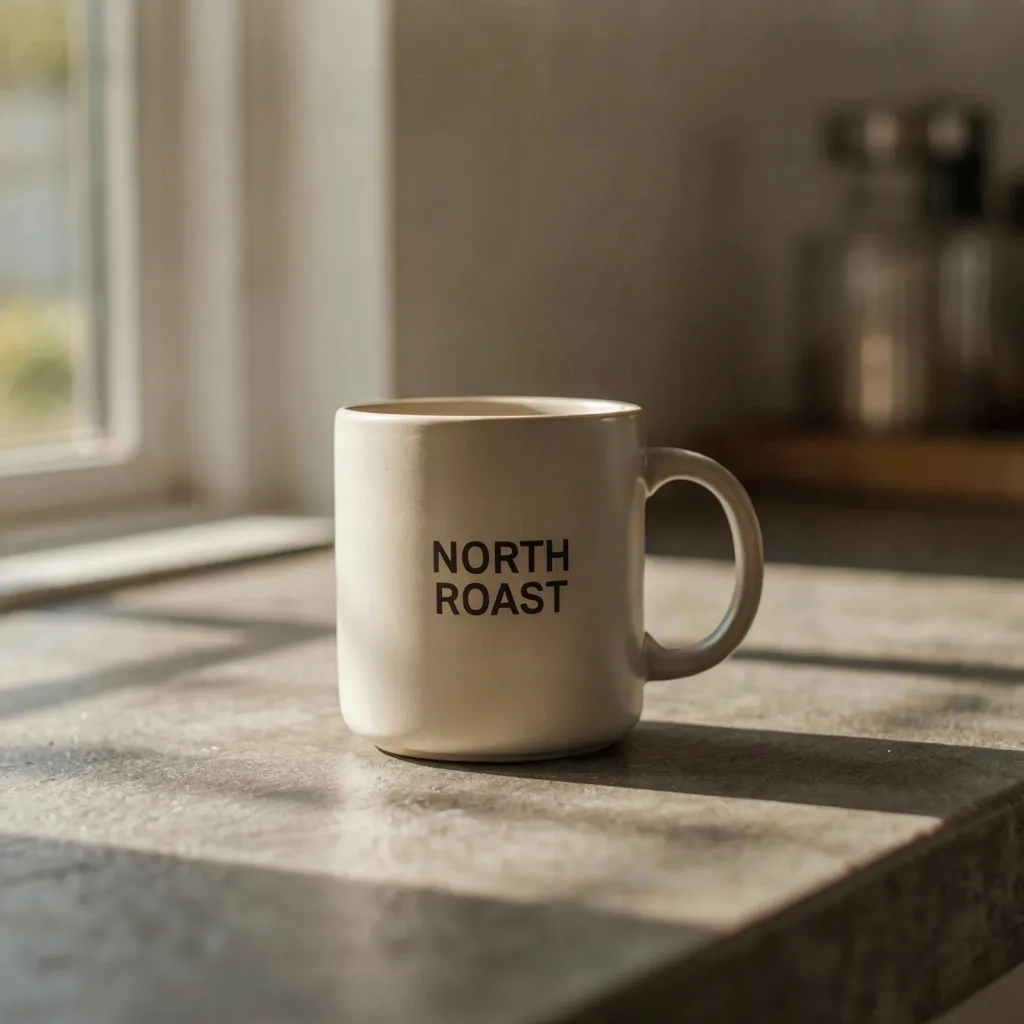
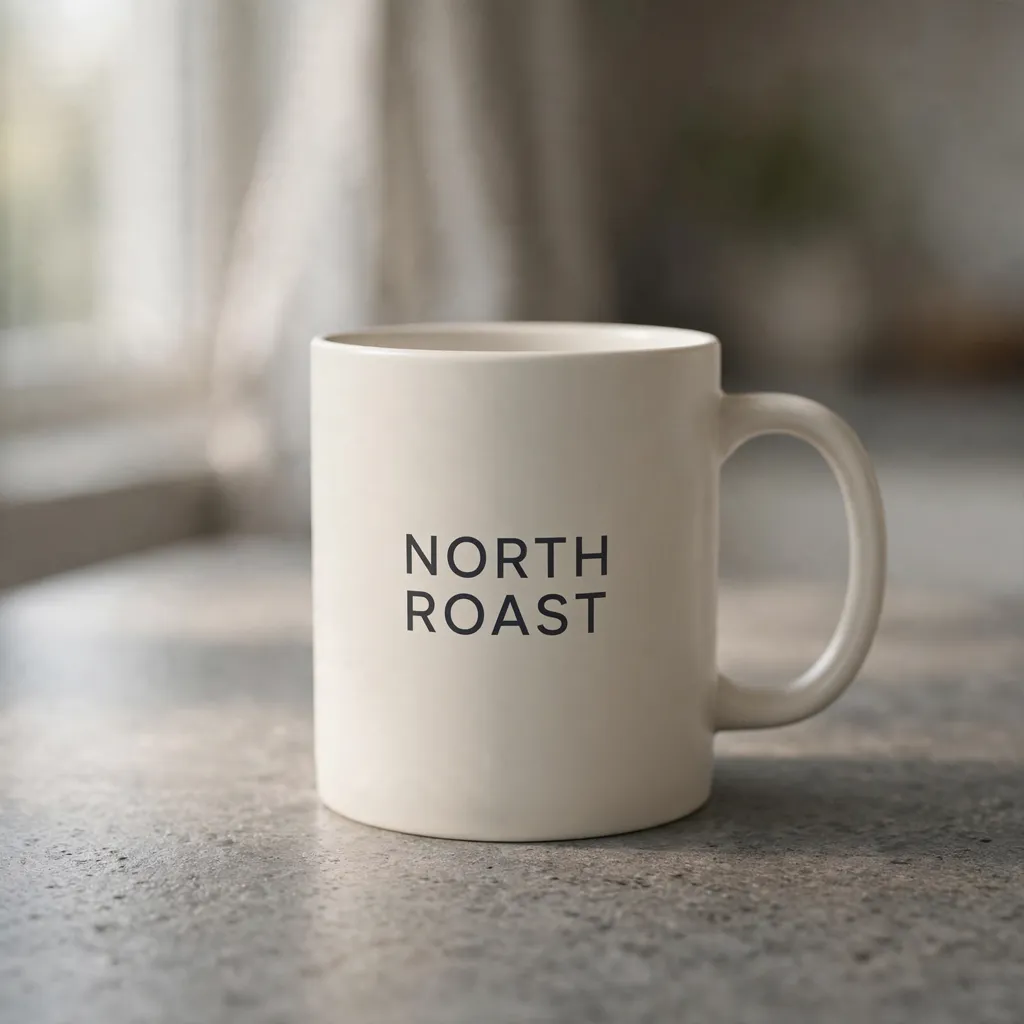
Prompt 1: Product Ad With a Label
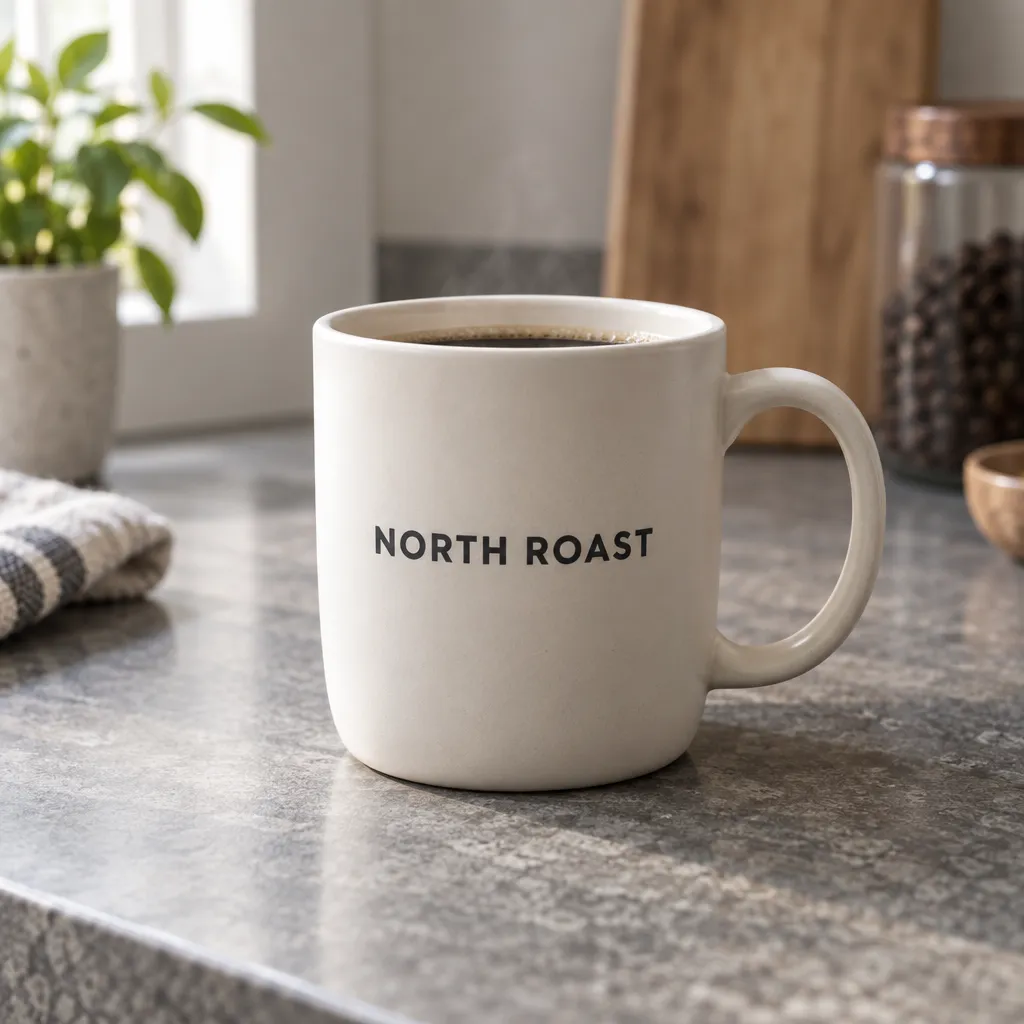
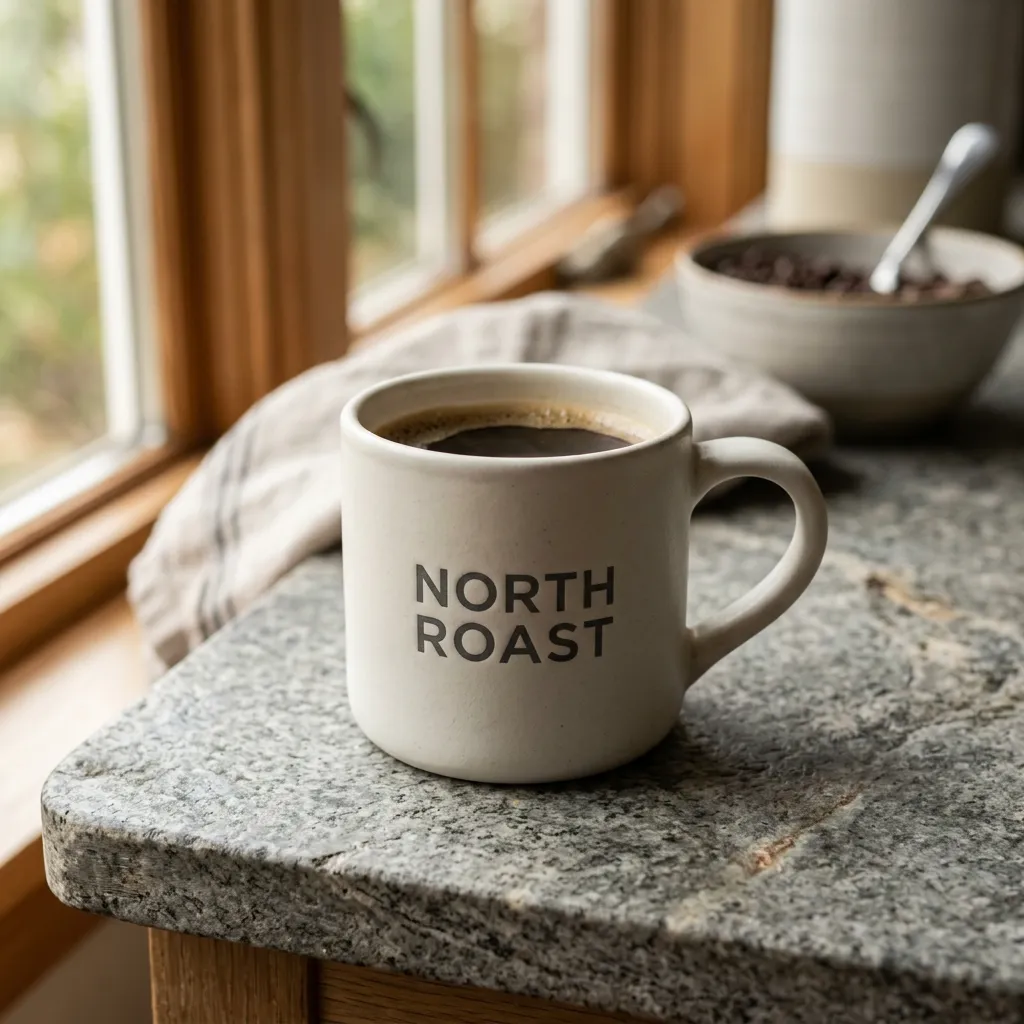
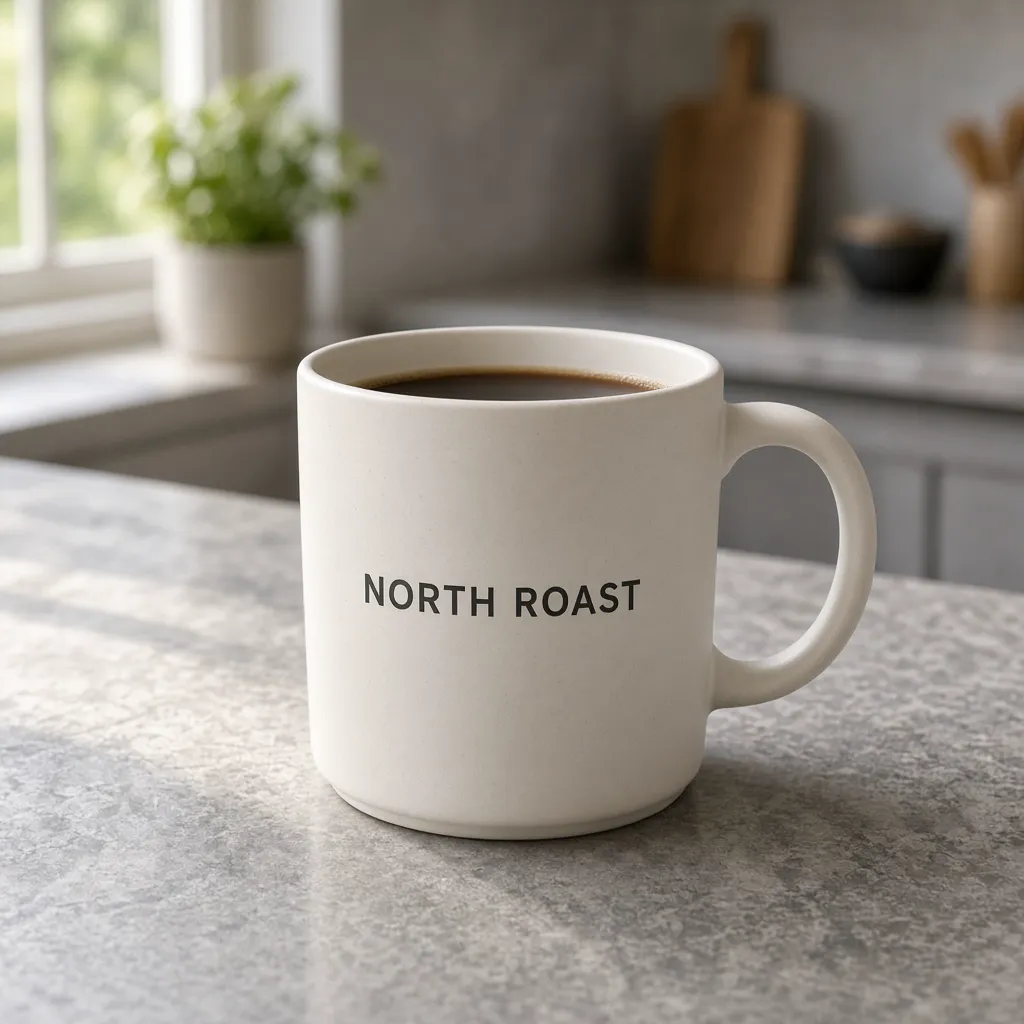
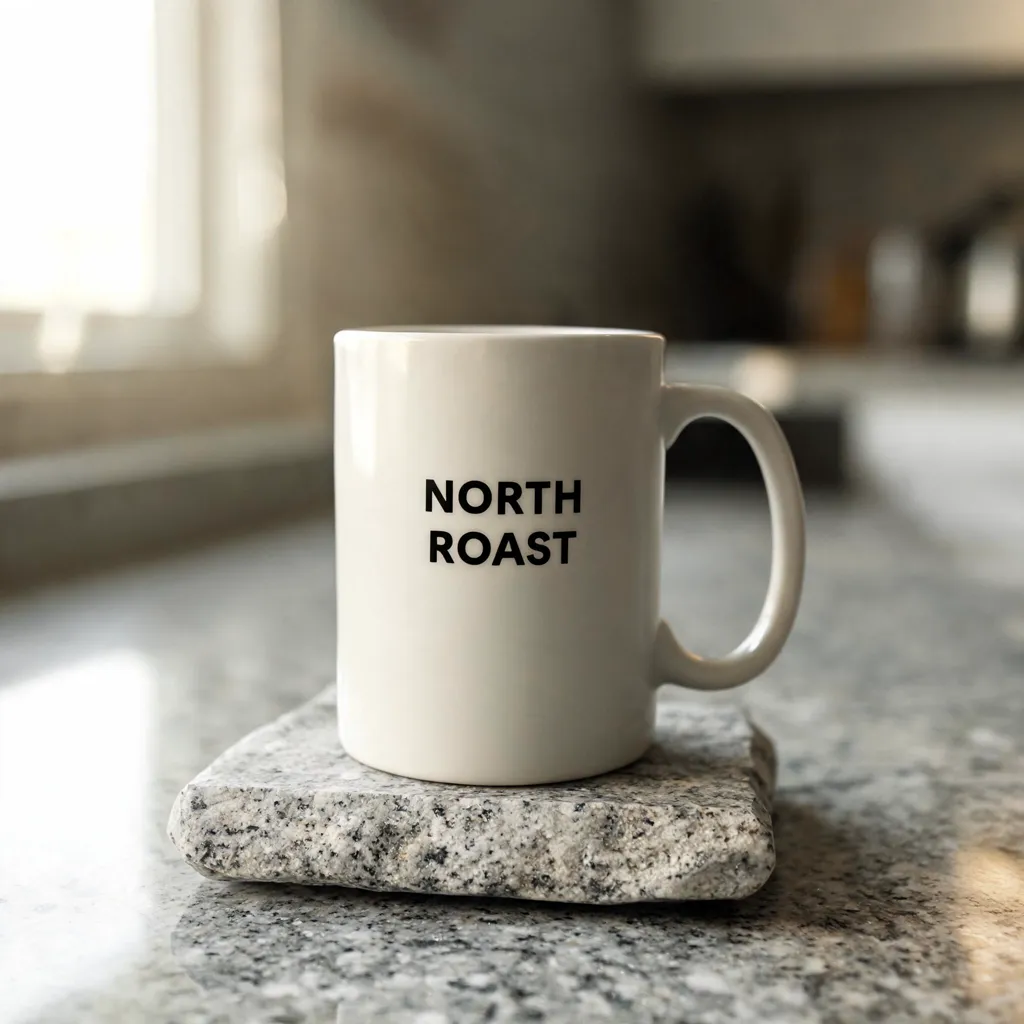
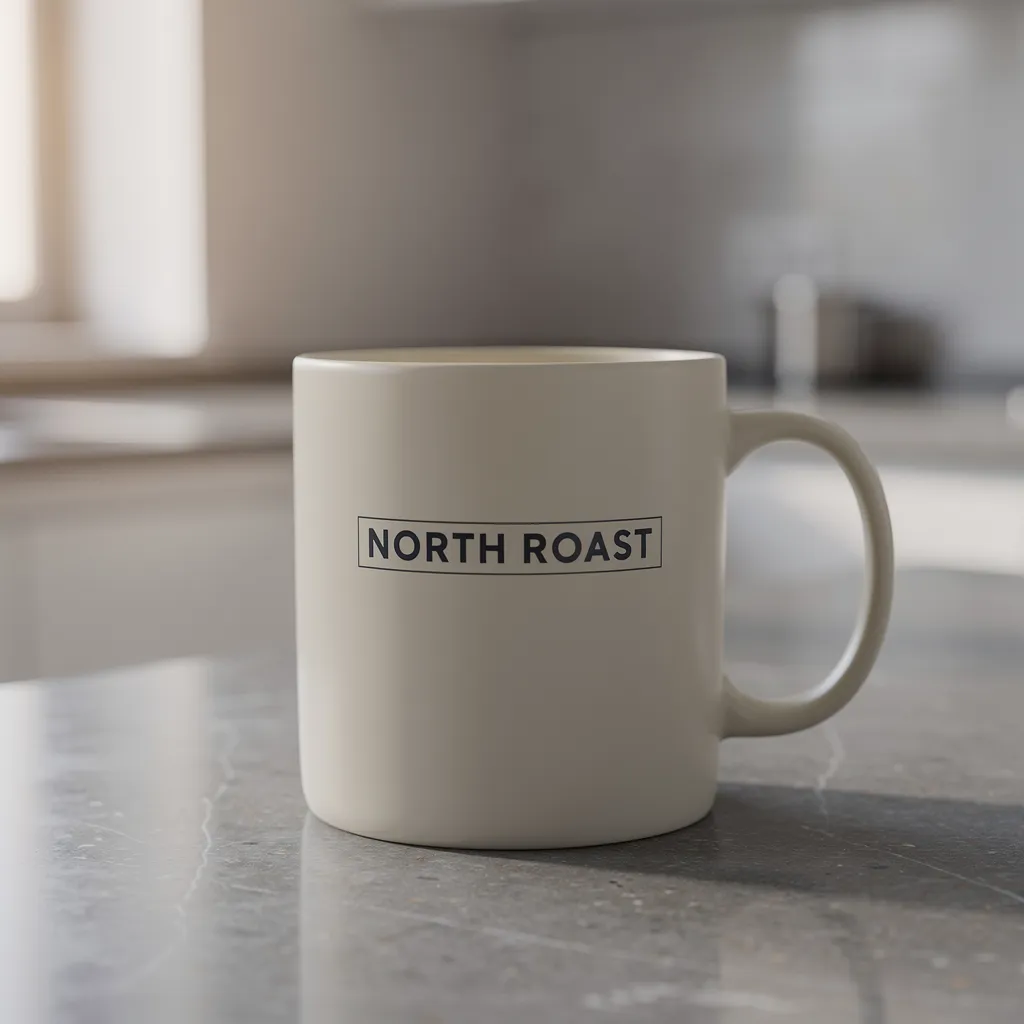
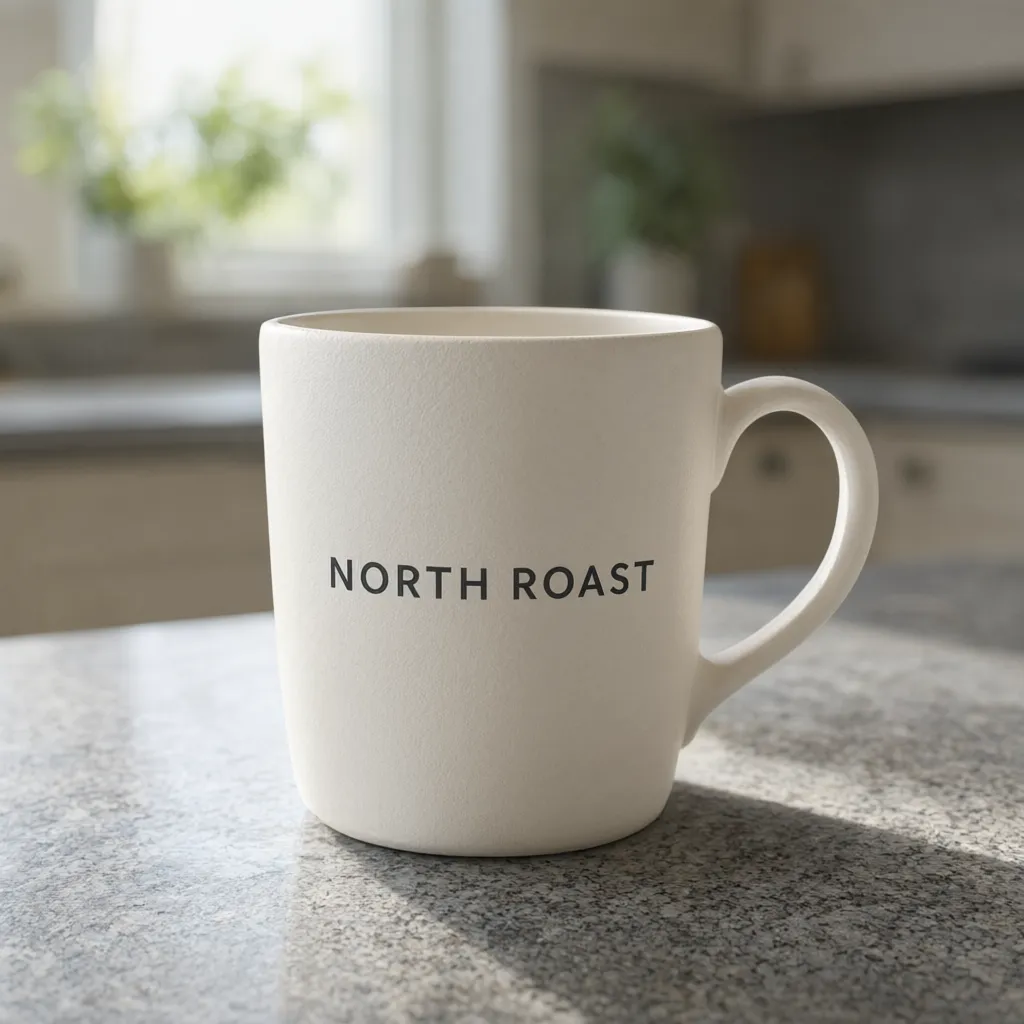
Product photo for an ad: a matte off-white ceramic coffee mug on a grey stone kitchen counter, soft morning window light from the left, shallow depth of field. The mug has a printed label that reads exactly "NORTH ROAST" in clean dark sans-serif capital letters. Photorealistic. No other text.
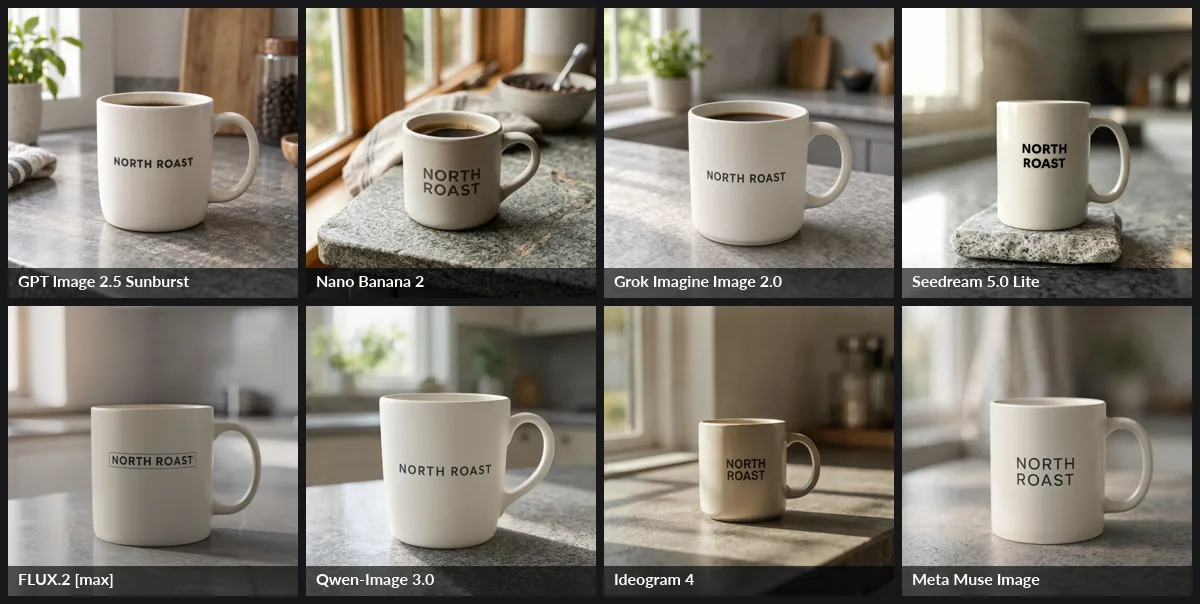
Verdict: Nano Banana 2 wins. It's the only result that reads as a real photograph, and the label wraps around the curved mug. GPT Image 2.5 Sunburst and Grok Imagine Image 2.0 tie for second: clean, matte and ready for an ad. Seedream 5.0 Lite missed two instructions (the mug is glossy, and it's placed on a separate stone slab). Muse Image looks slightly CGI. Full size: GPT Image 2.5 · Nano Banana 2 · Grok 2.0 · Seedream 5.0 Lite · FLUX.2 max · Qwen-Image 3.0 · Ideogram 4 · Muse Image.
Prompt 2: Candid Team Portrait
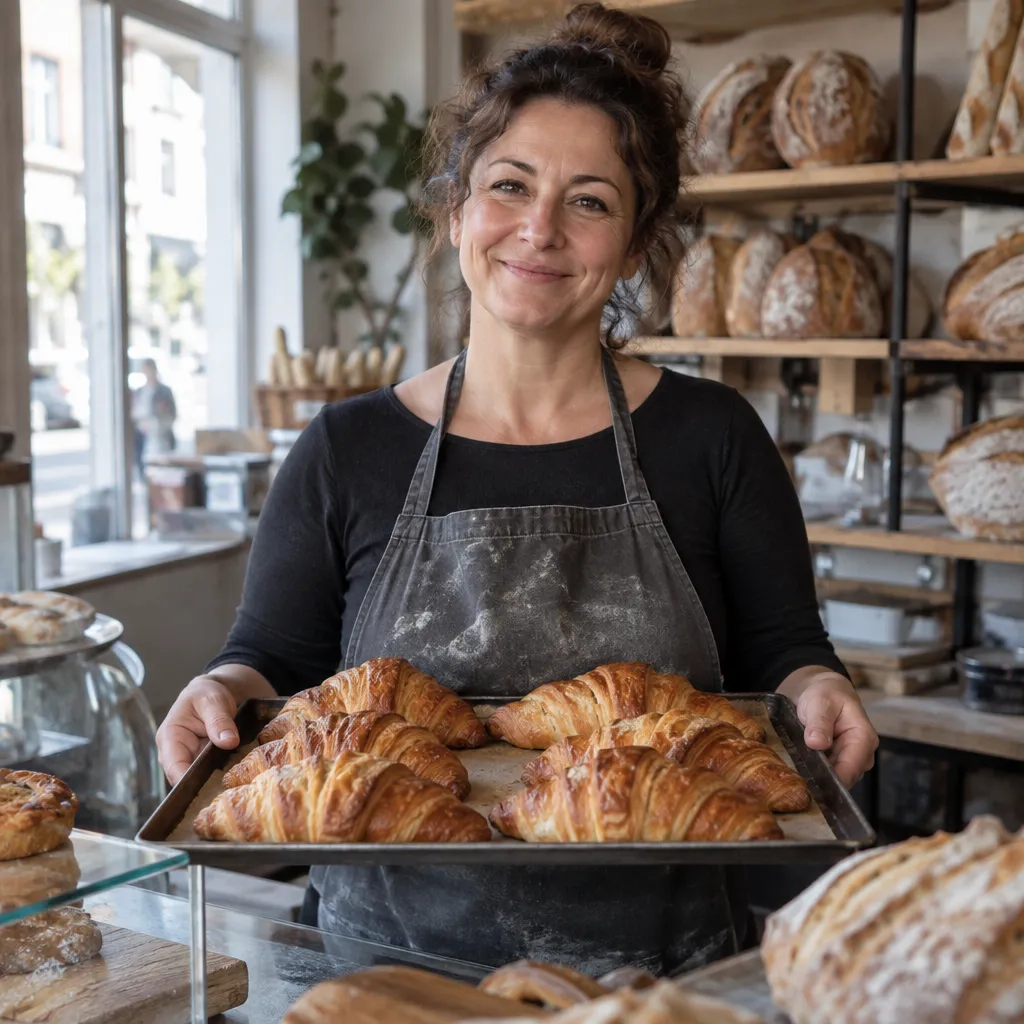
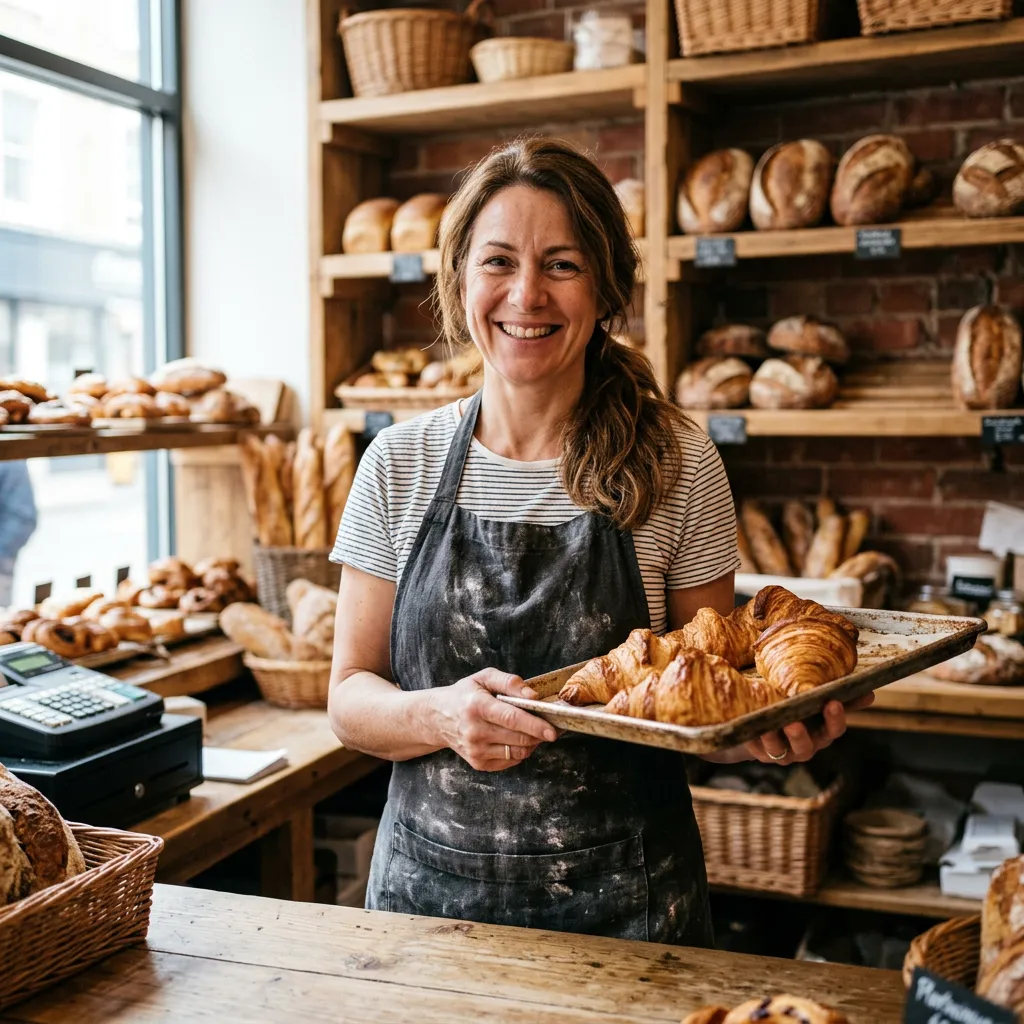
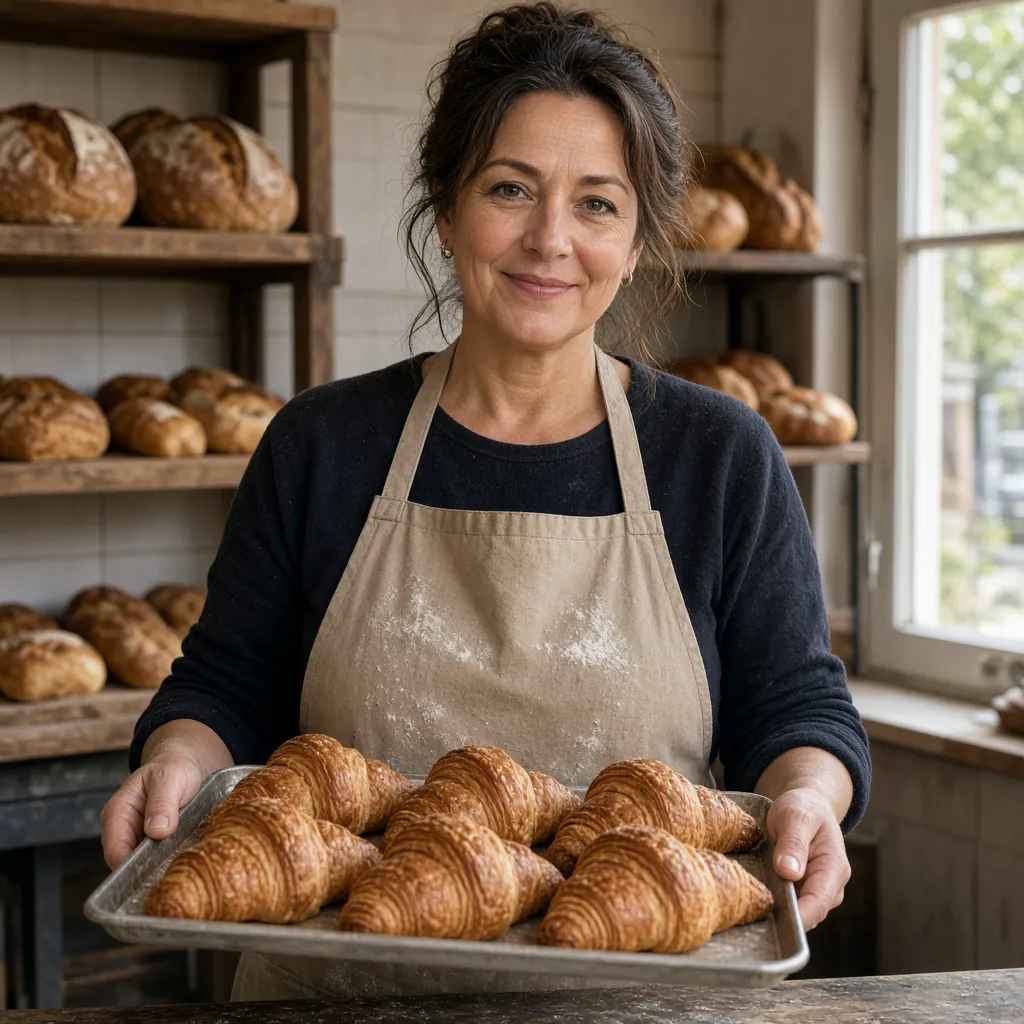
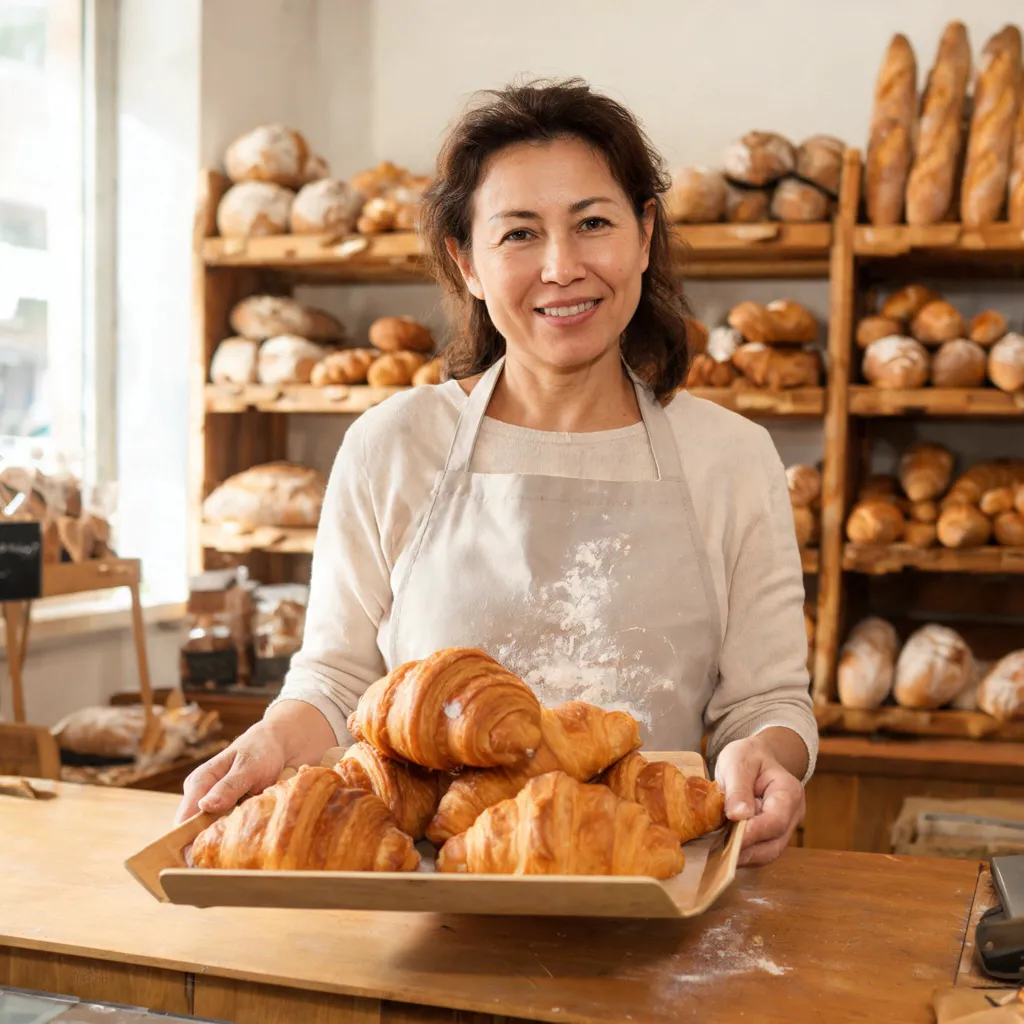
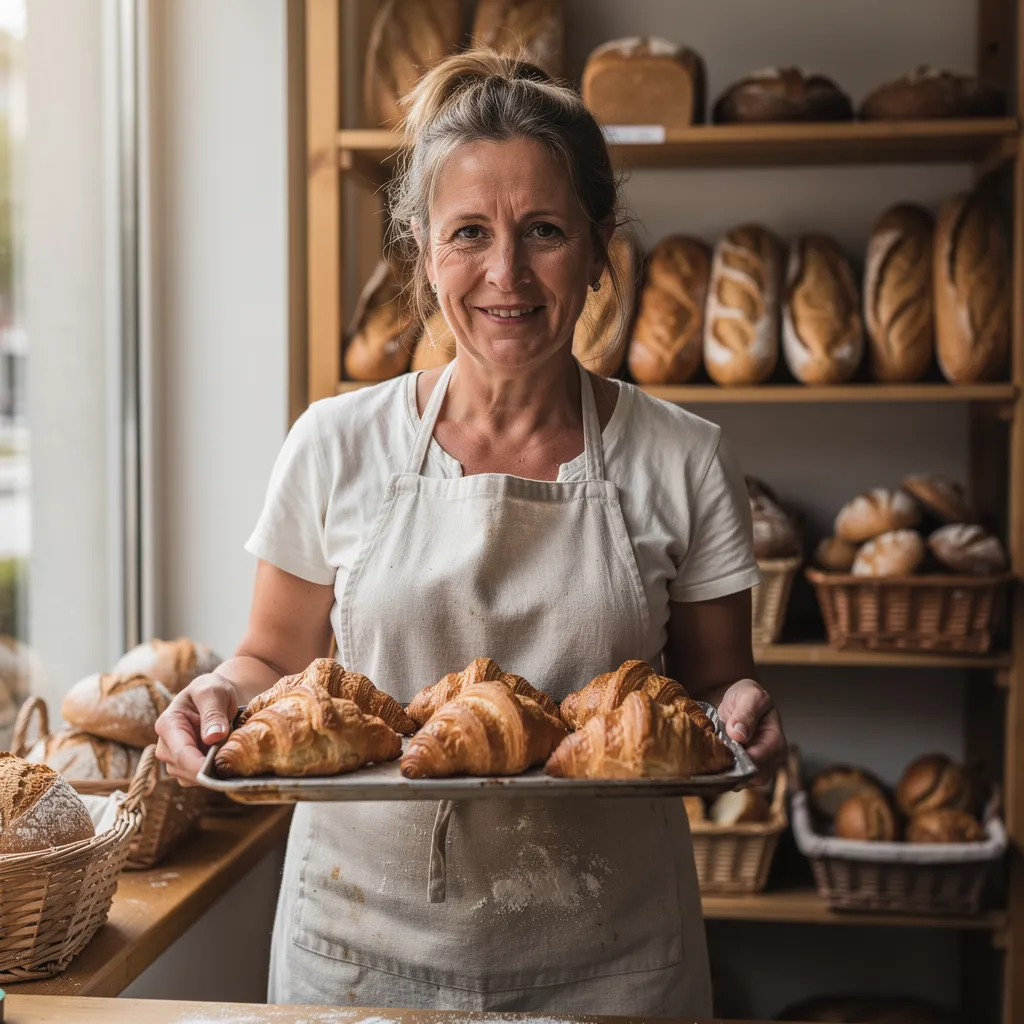
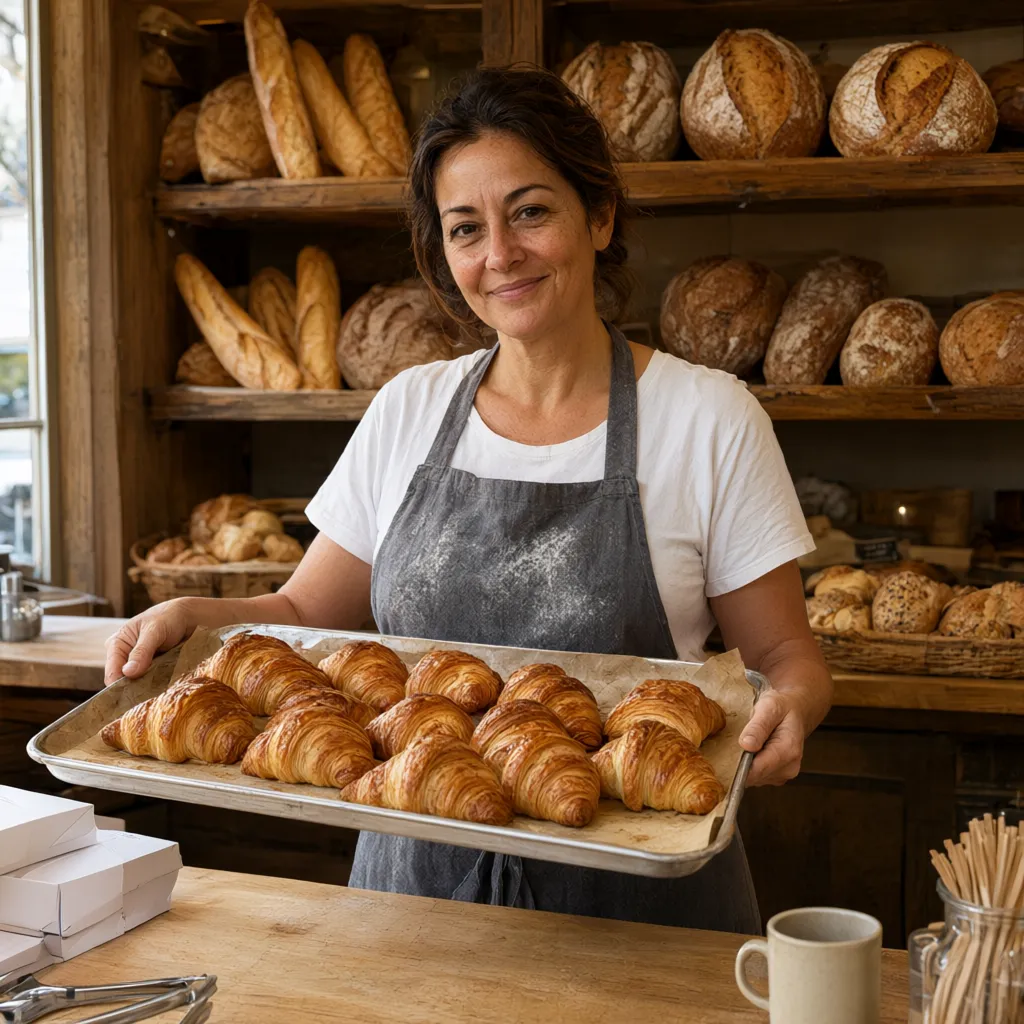
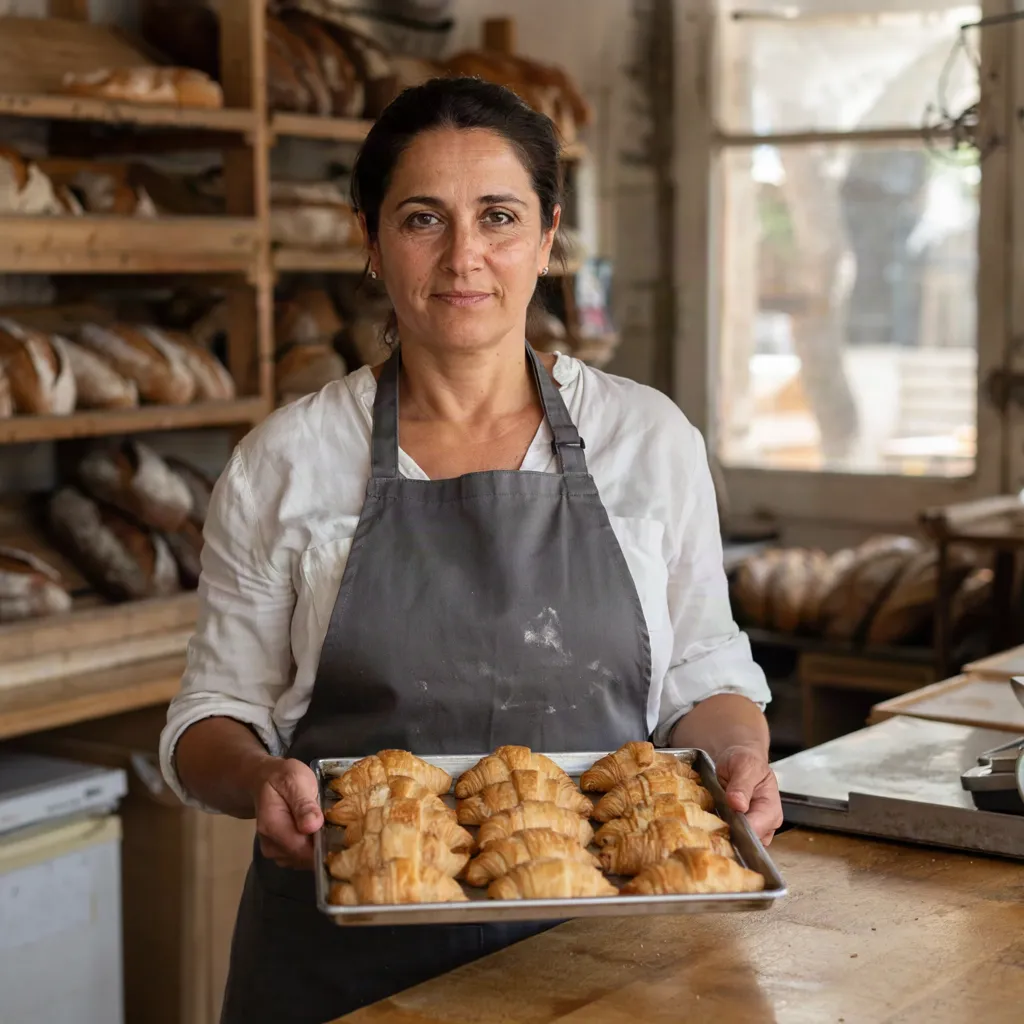
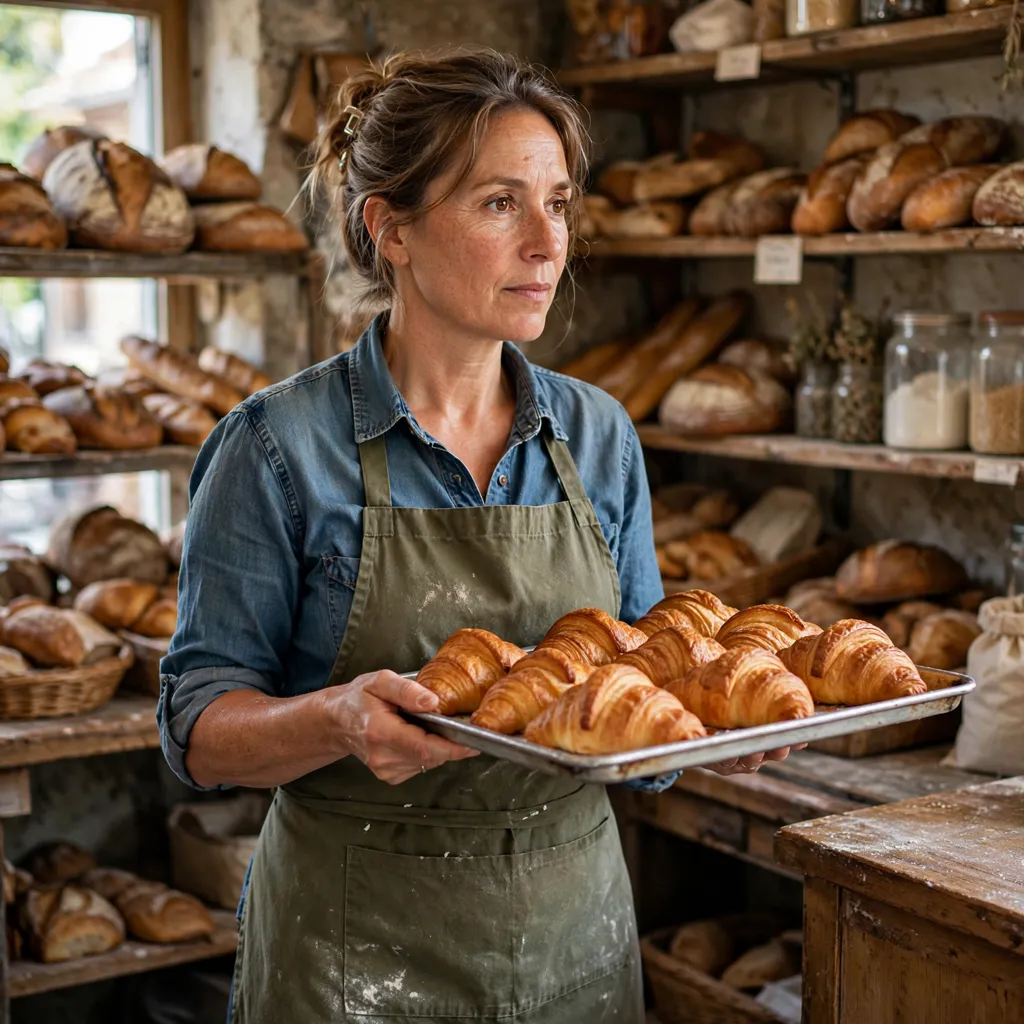
Candid photorealistic portrait of a small bakery owner, a woman in her mid-40s, standing behind the counter of her shop and holding a tray of fresh croissants with both hands. Natural window light, a little flour on her apron, shelves of bread behind her. Realistic hands and fingers, documentary photography style. No text.
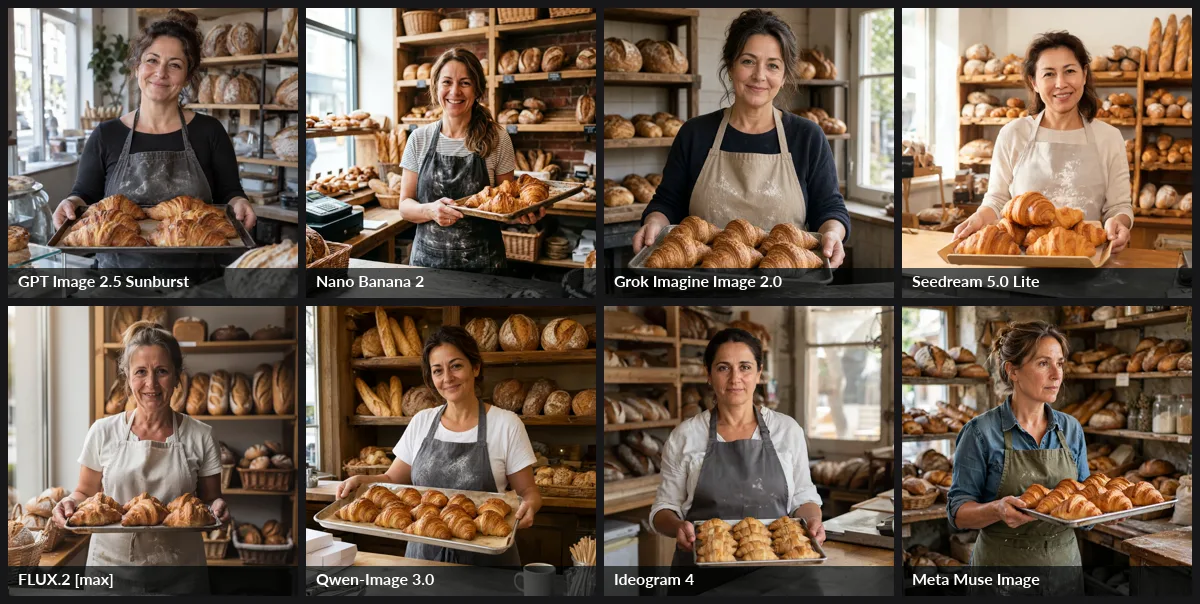
Verdict: Meta Muse Image wins on the brief. It's the only candid shot: she's looking off-camera, mid-task. Nano Banana 2 and Grok Imagine Image 2.0 made the most convincing photographs, with real skin texture, flour and believable hands. The other five delivered a competent but posed stock-photo smile, which isn't what "candid" means. Seedream's skin is the smoothest (least realistic). Ideogram's croissants are about half-size. Full size: GPT Image 2.5 · Nano Banana 2 · Grok 2.0 · Seedream 5.0 Lite · FLUX.2 max · Qwen-Image 3.0 · Ideogram 4 · Muse Image.
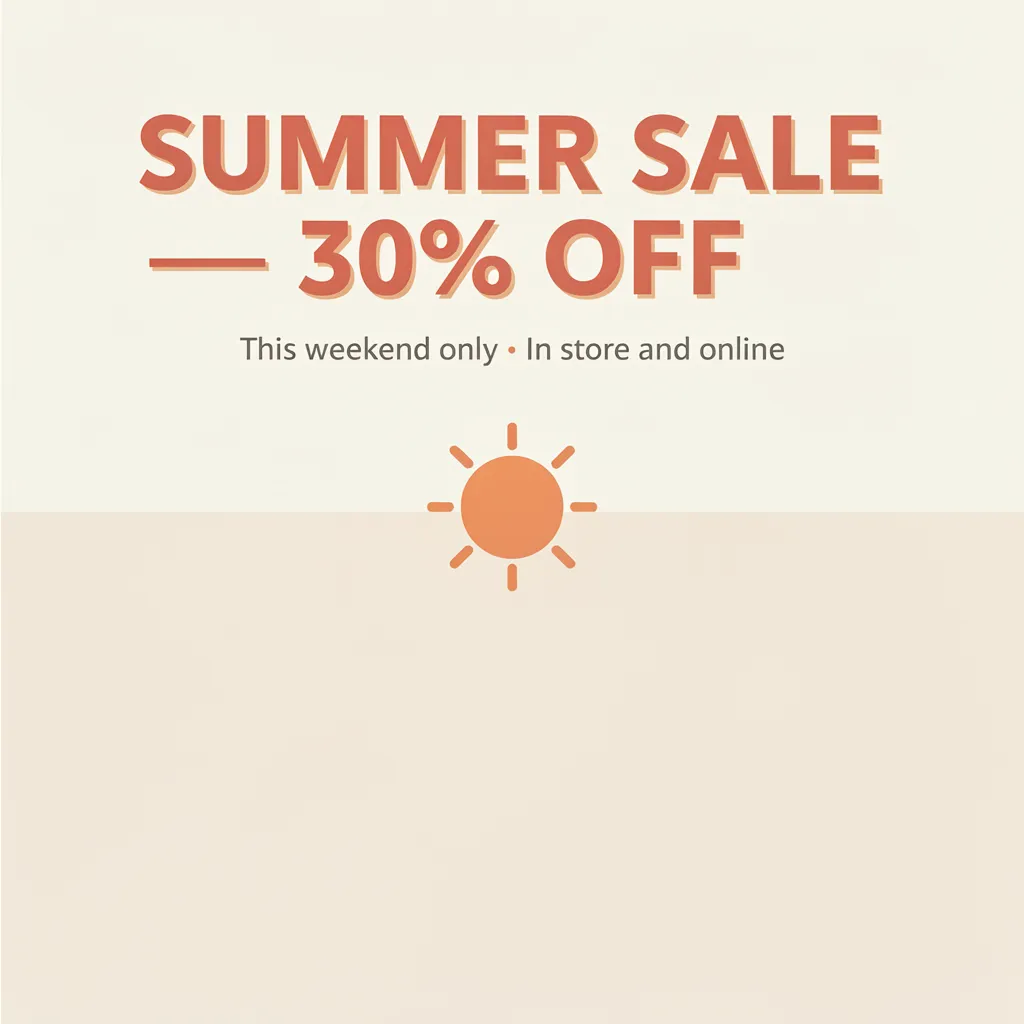
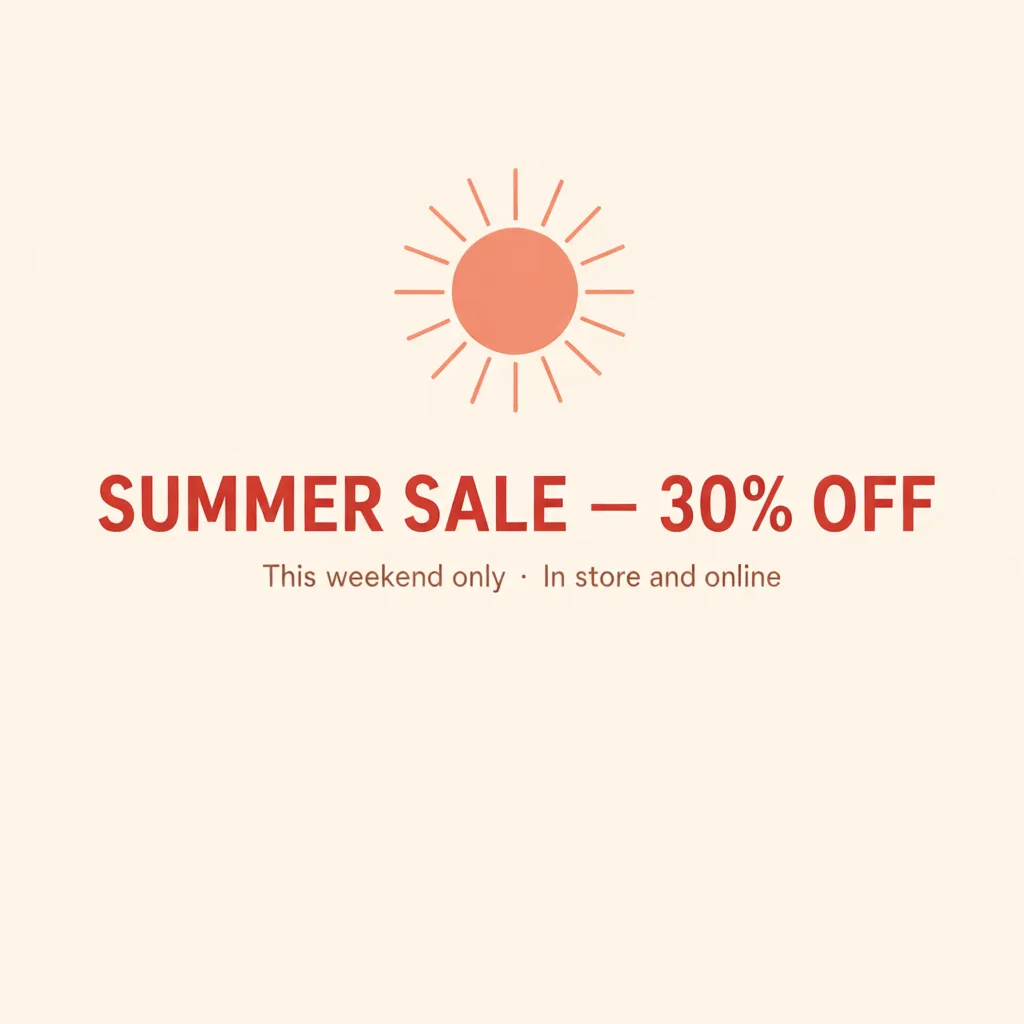
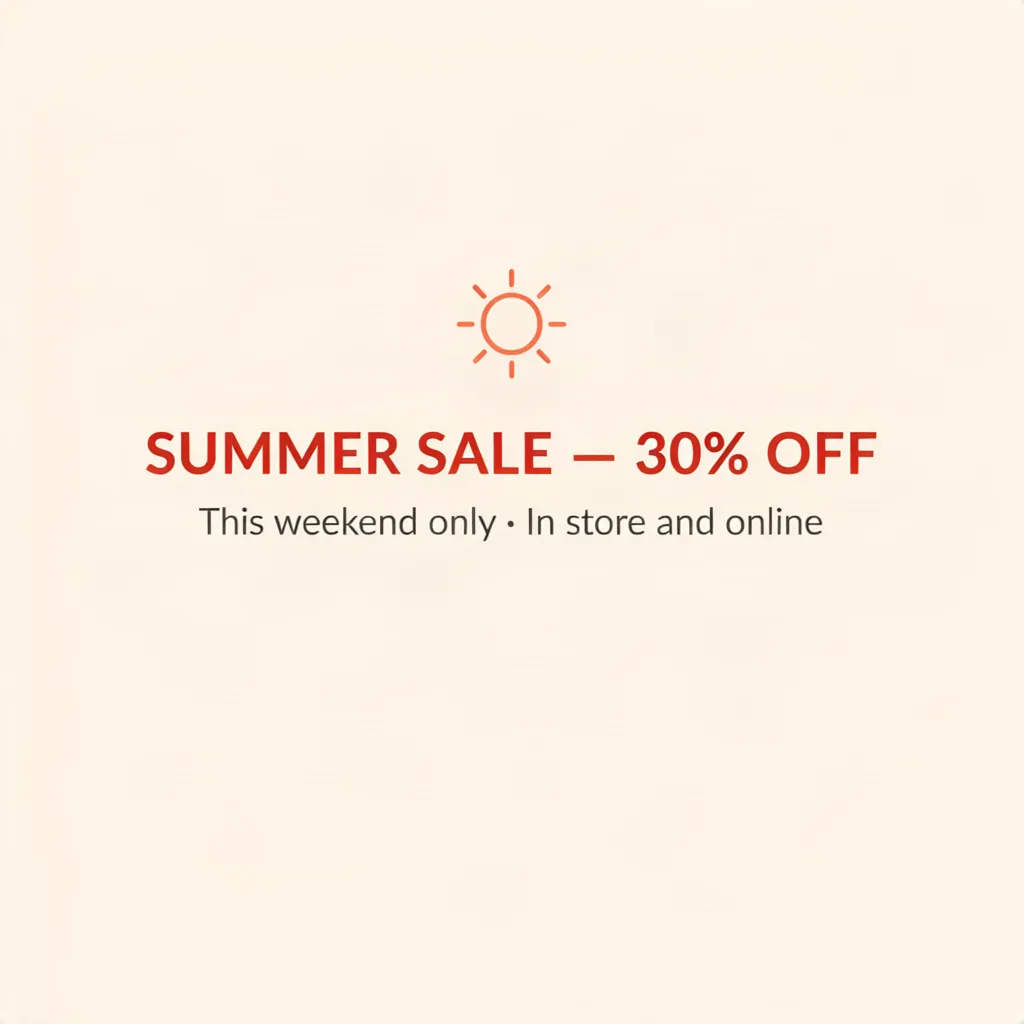
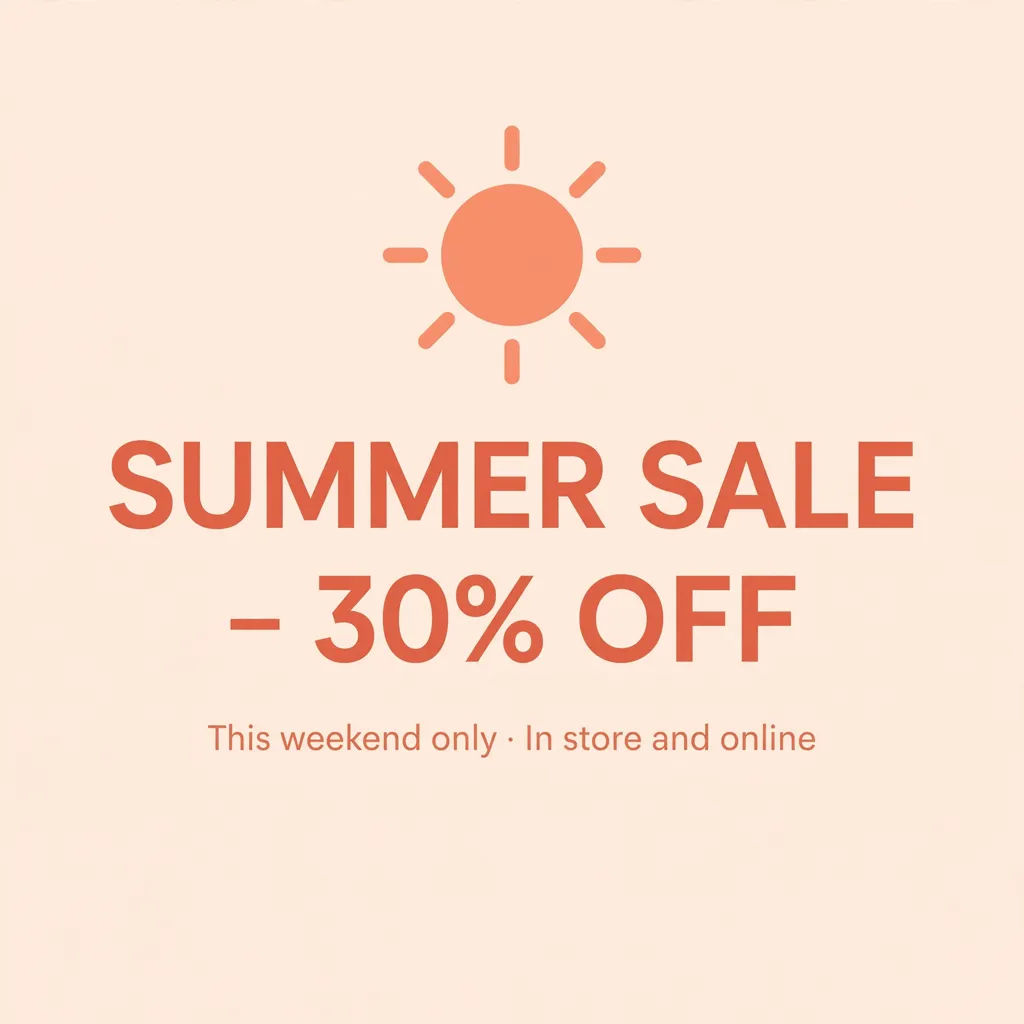
Prompt 3: Sale Poster With Typography
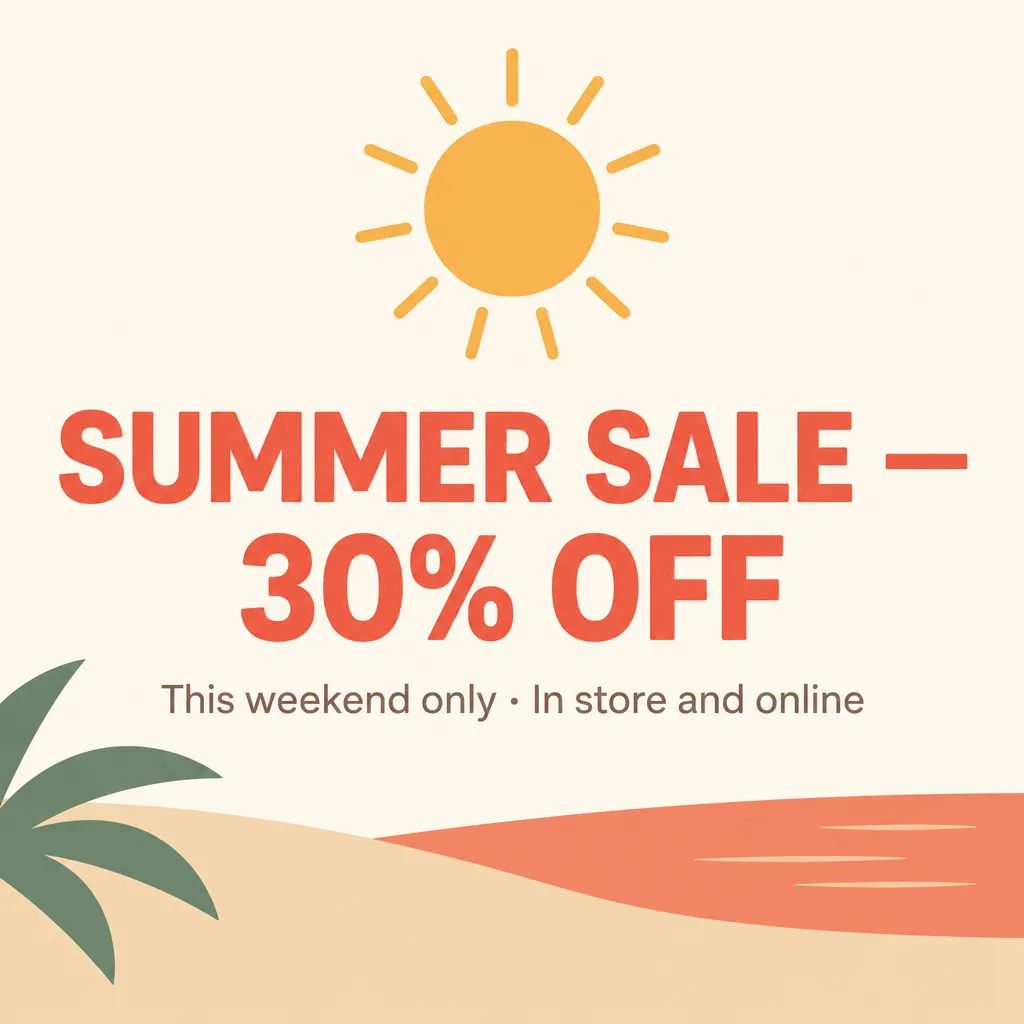
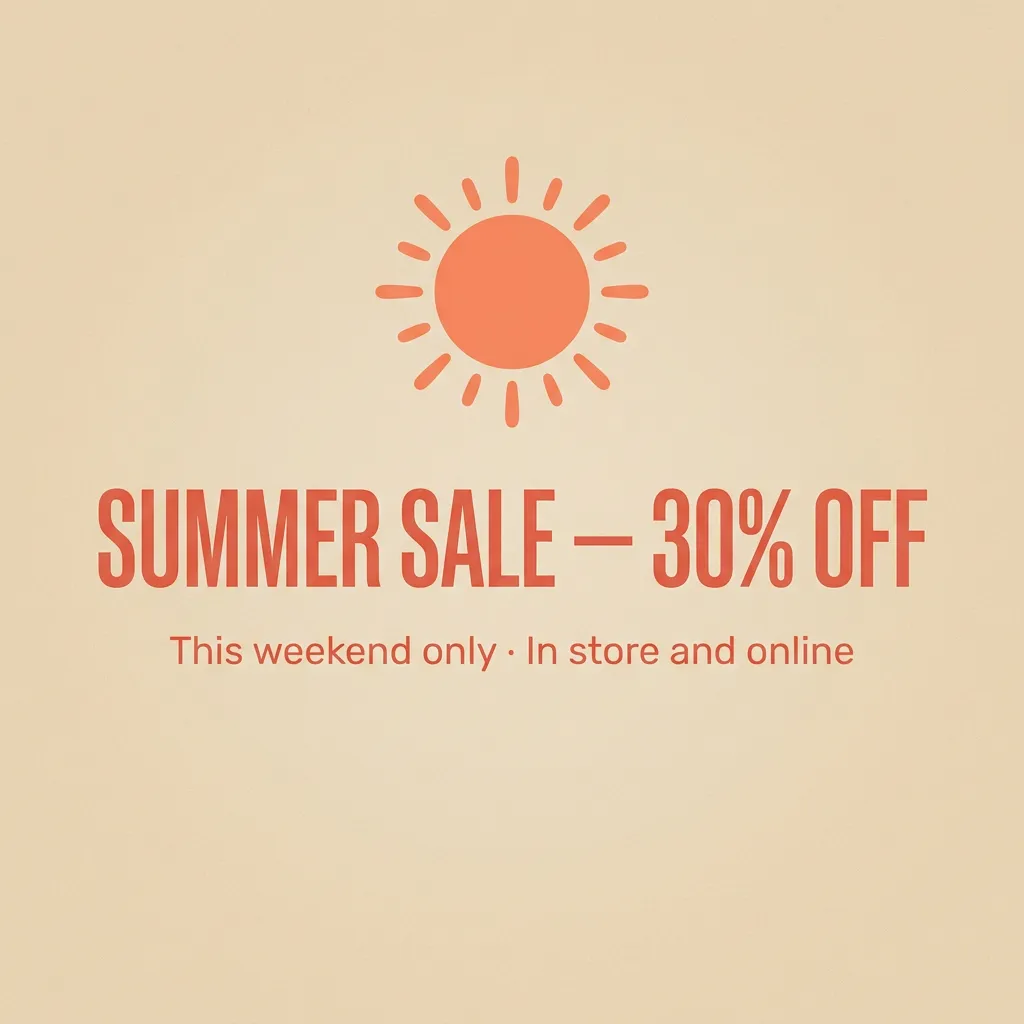
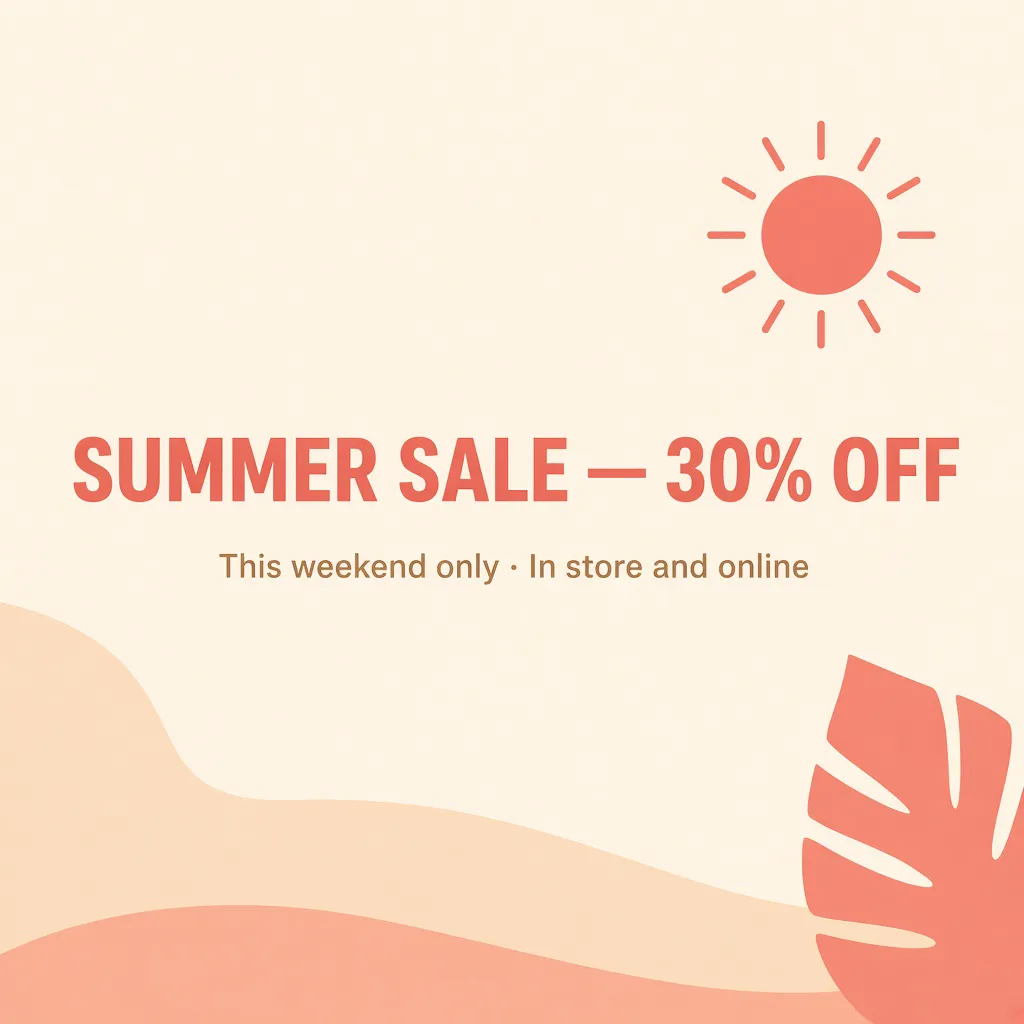
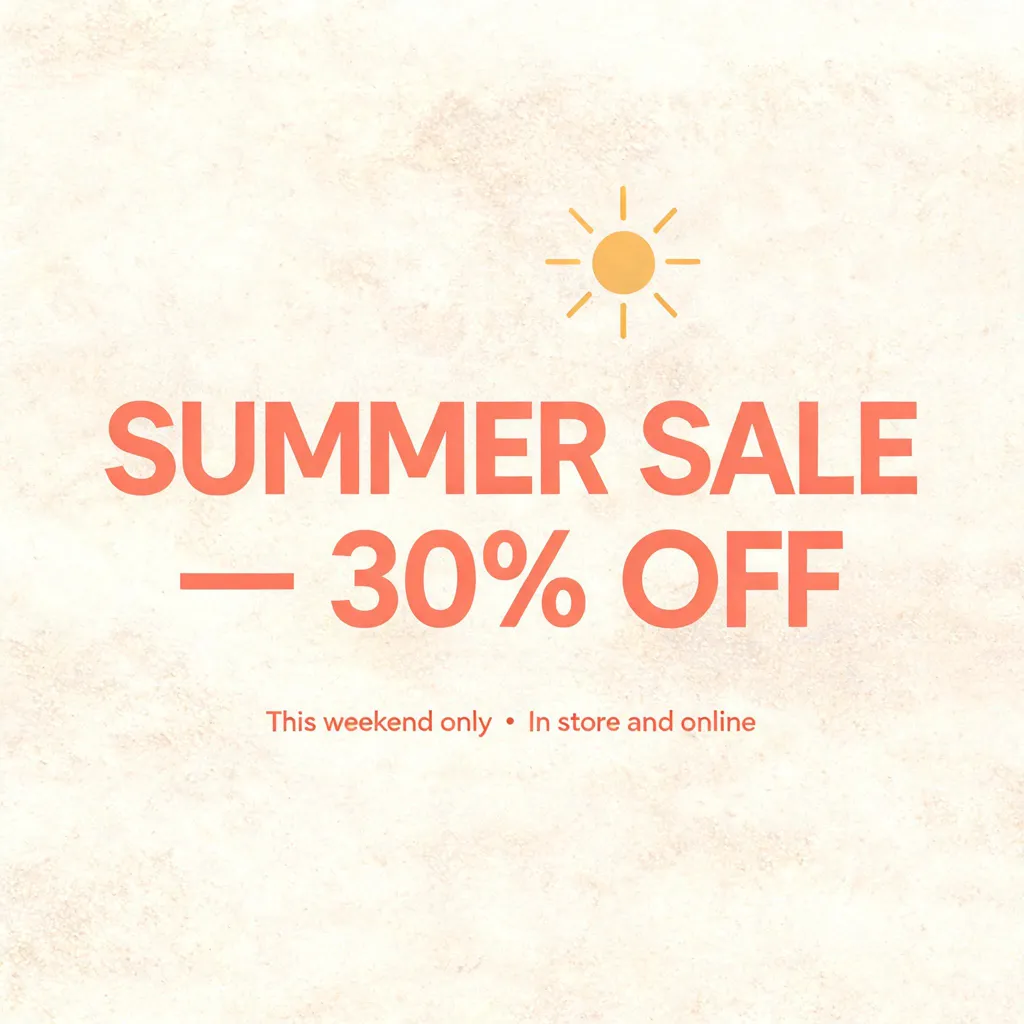
A clean, modern summer sale poster for a retail store. Large headline text exactly: "SUMMER SALE — 30% OFF". Below it, a smaller subline exactly: "This weekend only · In store and online". Minimal flat design, warm coral and sand colors, a simple sun graphic, lots of whitespace. No other text.
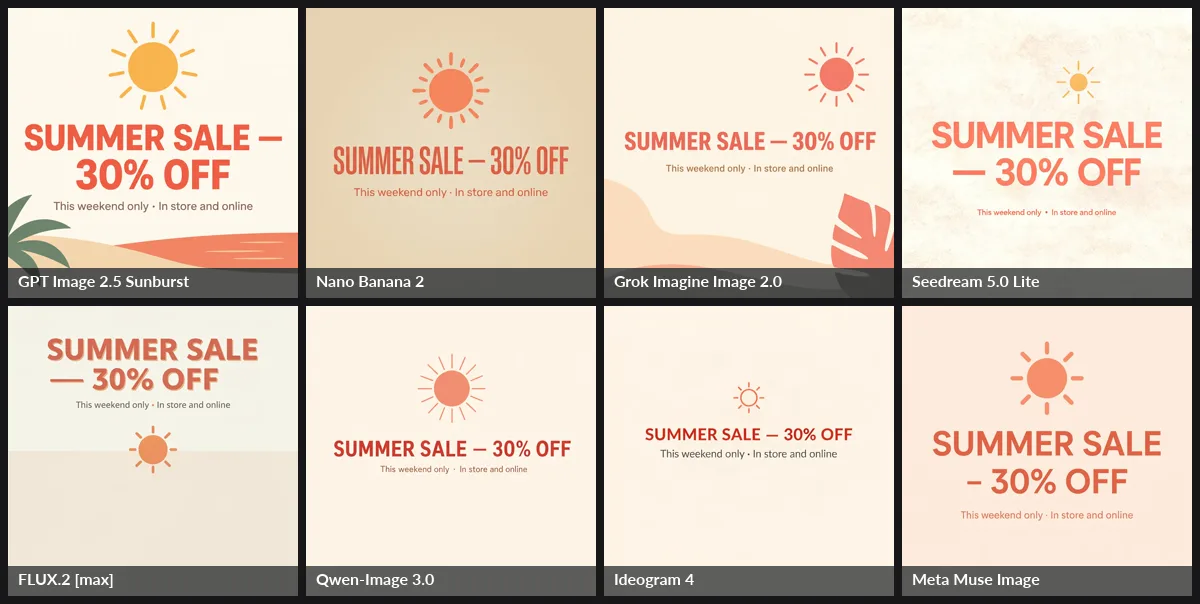
Verdict: GPT Image 2.5 Sunburst wins, with a bold hierarchy and an illustration that fits the brief. Grok Imagine Image 2.0 is a close second: its one-line headline arguably looks better. Nano Banana 2 and Qwen-Image 3.0 are correct but plain. Three models broke the line awkwardly so the em dash started line two (Seedream, FLUX.2 [max], Muse, which also swapped it for an en dash). FLUX.2 left the lower 60% of the canvas empty, and Ideogram 4 made the "large" headline small. Full size: GPT Image 2.5 · Nano Banana 2 · Grok 2.0 · Seedream 5.0 Lite · FLUX.2 max · Qwen-Image 3.0 · Ideogram 4 · Muse Image.
Scorecard
| Model | Mug | Portrait | Poster | Avg. time* | Cost per image |
|---|---|---|---|---|---|
| GPT Image 2.5 Sunburst | 2nd (tie) | Good, posed | 1st | 15 s | ~$0.014 (measured) |
| Nano Banana 2 | 1st | 2nd (tie) | Correct, plain | 13 s | $0.08 on fal ($0.067 direct) |
| Grok Imagine Image 2.0 | 2nd (tie) | 2nd (tie) | 2nd | 13 s | $0.04 (billed) |
| Meta Muse Image | Good, slightly CGI | 1st (only candid) | En dash swapped | 19 s | $0.01 |
| Qwen-Image 3.0 | Good | Good, posed | Correct, plain | 43 s | $0.04 |
| FLUX.2 [max] | Good | Good, posed | Weak layout | 28 s | $0.07 |
| Seedream 5.0 Lite | Two misses | Smooth skin | Awkward break | 27 s | ~$0.035 |
| Ideogram 4 (Balanced) | Good | Small props | Small headline | 13 s | ~$0.016 |
*Wall-clock time for one run per cell, including provider queueing. This isn't a latency benchmark.
Three prompts are a snapshot, not a verdict. The method matters more than our ranking: run your own five to ten real briefs through three or four models and count how many outputs you would actually publish.
Want to run this test on your own brief? In Teamday's image studio, you type the prompt once and switch between GPT Image 2.5, Nano Banana 2, Seedream, FLUX.2 and Grok without juggling five API keys and five billing dashboards.
Try your prompt on several models →Which Image Models Can You Use in Teamday?
This table reflects the routes in Teamday's media runner on September 23, 2026. We don't list a model here unless it's wired.
| Model in Teamday | What works | Boundary |
|---|---|---|
| GPT Image 2.5 Flare / Sunburst, GPT Image 2 | Generate; edit from reference images | Runs at medium quality |
| Gemini 3.1 Flash Image (Nano Banana 2) | Generate at 1K | No Gemini editing, Lite or Pro yet |
| Seedream 5.0 Lite | Generate; reference images | Seedream 5.0 Pro not yet wired |
| Wan 2.7 Image / Image Pro, Qwen Image 2.0 / 2.0 Pro | Generate | Qwen-Image 3.0 not yet wired |
| FLUX.2 Flex (via FAL) | Generate | Other FLUX.2 tiers not wired |
| Grok Imagine Image | Generate | Image 2.0 isn't in the picker yet |
Not in Teamday today: Nano Banana 2 Lite and Pro, MAI-Image-2.6, Muse Image, Reve, Ideogram, Recraft, Midjourney, Firefly and Hy Image.
New workspaces get a small daily allowance of images on Teamday's own provider keys. Connect your own OpenAI, Google, ByteDance, Alibaba, FAL or xAI key for unmetered generation. Beyond the studio, Iris, Teamday's visual designer, turns a campaign brief into an exact prompt, runs the models, reviews the variants and saves each approved asset with its prompt and model. Maya and Nova turn those assets into published content. Reel animates stills into video. See the full agent roster or run them together as an AI creative team. For output examples, see the GPT Image 2 showcase and the brand assets gallery.
How to Choose an Image Model for Business Work
- Start from the asset, not the leaderboard. Product shots, people, posters and infographics each have different winners. Our test shows the #1 leaderboard model losing two of three briefs.
- Test instruction nuance, not spelling. Every serious model now spells short text correctly. Where they differ is matte vs. glossy, candid vs. posed, and "large headline" vs. a small one. Write prompts with specific constraints and check each one.
- Price the approved asset. A $0.01 model with a 30% keep rate costs more per usable image than a $0.04 model with a 90% keep rate, before you count review time. Track generations, retries and edit time.
- Plan for editing. Real campaigns need a corrected price, a swapped product or a new aspect ratio. Choose a model with reliable reference-image editing (GPT Image 2.5, Nano Banana, Seedream, Grok 2.0, Muse) instead of regenerating from scratch.
- Keep provenance. Save the model ID, date, prompt and reviewer note with every approved asset. Models change monthly, as this article's changelog shows.
- Avoid single-vendor lock-in. Six of the top seven leaderboard models shipped in the last three months. A workflow that can switch models, whether in your own code or in a tool like Teamday, is worth more than a one-time bake-off win.
For raw per-generation prices across image and video providers, see our AI image and video API pricing comparison and the image and video API providers comparison.
What Changed Since July 2026
- OpenAI shipped GPT Image 2.5 Sunburst and Flare on September 8 and took the top two leaderboard spots.
- Microsoft (MAI-Image-2.6, August 10; Flash, September 4), Meta (Muse Image) and xAI (Grok Imagine Image 2.0, August) all reached the top ten.
- Alibaba released Qwen-Image 3.0 (July 21, GA August 5).
- ByteDance added Seedream 5.0 Pro above Lite.
- Google added Nano Banana 2 Lite (June 30) as its cheapest image tier.
- Midjourney moved to V8.2 (July 24) and added an edit model (August 27).
- Recraft cut V4.1 API prices (July 31).
- Tencent released Hy Image 3.5 Preview (September 22).
Frequently Asked Questions
What is the best AI image generator in September 2026?
For API and business work, OpenAI's GPT Image 2.5 Sunburst is the strongest all-rounder: it ranks first on the LMArena text-to-image leaderboard (September 21, 2026) and handles precise edits. GPT Image 2.5 Flare is the faster sibling. Nano Banana 2 (Gemini 3.1 Flash Image) is the best-value photoreal model, and Midjourney V8.2 still leads for art direction inside its own app.
Which AI image model is best at rendering text?
Short text is close to solved: in our September 2026 test, all eight models spelled a two-word product label and a sale headline correctly. The differences now are layout and dense text. GPT Image 2.5 and Grok Imagine Image 2.0 produced the best-designed posters; Qwen-Image 3.0 Pro and Seedream 5.0 Pro are the ones to test for dense layouts such as menus and infographics. Proofread every public asset anyway.
What is the cheapest good AI image model?
Meta's Muse Image costs $0.01 per image on Meta's Model API. Nano Banana 2 Lite costs about $0.034 per 1K image ($0.017 in batch). Recraft V4.1 and Seedream 5.0 Lite are around $0.035. Judge cost per approved asset, not per generation: a cheap model that needs five retries is not cheap.
Which AI image models are available in Teamday?
Teamday's image studio runs GPT Image 2.5 Flare and Sunburst, GPT Image 2, Gemini 3.1 Flash Image (Nano Banana 2) at 1K, Seedream 5.0 Lite, Wan 2.7 Image and Image Pro, Qwen Image 2.0 and 2.0 Pro, FLUX.2 Flex through FAL, and Grok Imagine Image. OpenAI and Seedream also accept reference images for edits. New workspaces get a small daily image allowance on Teamday's keys; connect your own provider key for unmetered use.
What is the best open-weight AI image model?
Ideogram 4 (open weights, strong typography) and Black Forest Labs' FLUX.2 [klein] models are the main open-weight options to evaluate. Tencent's HunyuanImage 3.0 is a large open model too. Black Forest Labs says open weights for the FLUX 3 backbone are coming but had not shipped as of September 23, 2026.
Is Midjourney still the best AI image generator in 2026?
Midjourney V8.2 (July 24, 2026) is still excellent for art direction and mood, and added an instruction-based edit model on August 27, 2026. It has no public API, so for repeatable, automated business assets, API models like GPT Image 2.5, Nano Banana 2, and Seedream are easier to run at volume.
The best model is the one whose output you'd publish. Open Teamday's image studio, paste your real brief, and compare the results side by side in minutes. Your first images run on our keys.
Create an image now, free →Related Guides
- Best AI video models in 2026
- AI image & video API pricing comparison 2026
- AI image & video API providers comparison 2026
- Best frontier AI models in 2026
- Teamday's AI image generator
- Teamday model catalog
Research cutoff: September 23, 2026. Model names, release dates and prices were checked against vendor documentation, pricing pages and the LMArena leaderboard on September 22–23. We've noted where a figure comes from a third party or couldn't be verified. Teamday availability was checked against the current media runner code. Providers change aliases and prices often, so check the linked page before you commit to a long-term workflow.