
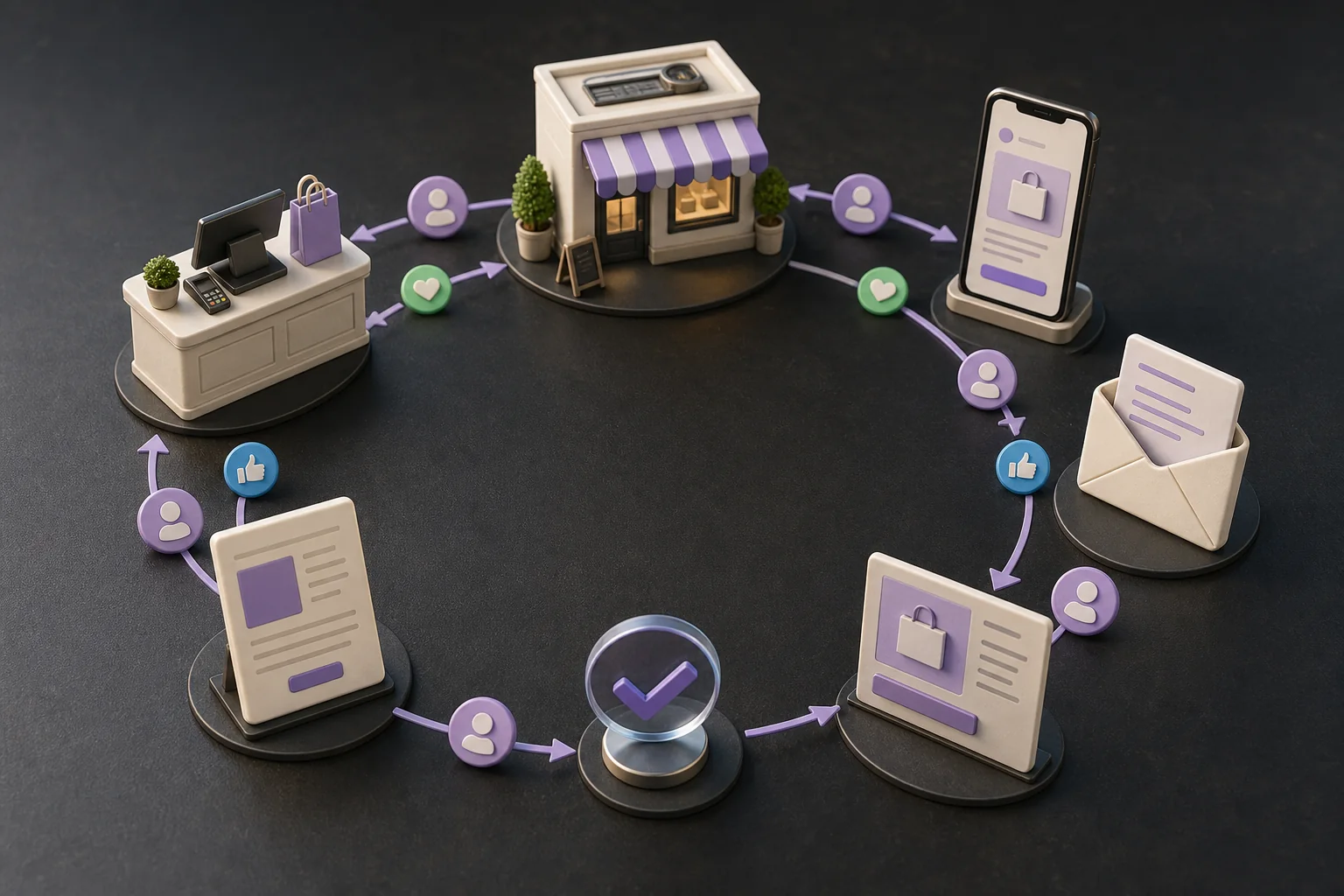
The fastest way to waste money with AI marketing is to automate a bad marketing habit.
If your offer is unclear, your leads are poor, or nobody follows up, generating more posts will not rescue the business. It will produce more activity around the same problem. Small-business marketing works when a few jobs happen reliably: inquiries receive a useful response, customers hear the right offer, winning messages are reused, and spending follows evidence.
AI can help those jobs happen every week. The useful unit is not “content” or “automation.” It is a workflow with a customer outcome.
This guide gives you 15 workflows you can copy. You do not need all of them. Start with the one closest to lost revenue.
What makes a marketing workflow useful?
A practical workflow has six parts:
- Trigger: Thursday morning, a new inquiry, or a completed job.
- Input: CRM records, call notes, reviews, ad data, or Search Console.
- Job: classify, compare, summarize, draft, or detect.
- Output: an approved response, opportunity list, ad test, or report.
- Gate: a person or fixed rule checks the work.
- Measure: the business result and a quality guardrail.
For example, “use AI for social media” is not a workflow. “Every Tuesday, turn last week's three best customer questions into four social drafts; the owner approves two; measure qualified site visits” is.
Use ordinary automation for fixed transfers. Use AI only where the input varies and requires interpretation. If every lead gets the same receipt confirmation, a simple rule is better. If each inquiry needs to be summarized and matched to the right service, AI can prepare the response.
One useful weekly circuit
Signal in. Customer-moving action out.
- 1
Observe
Pull fresh customer and channel evidence
- 2
Pick one bottleneck
Do not “improve marketing” all at once
- 3
Prepare
Create the smallest useful action
- 4
Review
Check audience, promise, spend, and tracking
- 5
Ship
Publish or stage through the safe path
- 6
Measure
Record the result before the next cycle
A healthy workflow often ends with “no change this week.”
Before you automate: choose the bottleneck
Look at the last 30 days and answer four questions:
- How many people showed buying intent?
- How many received a timely follow-up?
- Where did interested people stop?
- Which marketing activity produced a customer, not merely a click?
If inquiries wait two days, fix response before SEO. If people request quotes but do not buy, fix follow-up and objection handling before generating more leads. If the website receives no qualified visits, work on discovery. The workflow should repair the narrowest point in the path to revenue.
| What you see | Start here | Do not start with |
|---|---|---|
| New inquiries wait for a reply | 1. New-lead response | More traffic |
| Quotes are sent but decisions stall | 2. Open-quote follow-up | More social posts |
| Customers use words your website does not | 5. Customer-language mining | A full rebrand |
| Search impressions exist but clicks do not | 6. Search opportunity | Ten new articles |
| Paid traffic arrives but few people act | 13. Landing-page friction | A larger ad budget |
| Customers are satisfied but referrals are random | 14. Referral prompt | A complex rewards program |
Pick one row. The point is to remove the first visible leak, not build a complete marketing machine in week one.
1. New-lead response workflow
Use when: website forms, email, WhatsApp, or social inquiries sit unanswered.
Weekly job: Collect each inquiry, identify the requested service, urgency, location, budget signals, and missing information. Draft a short response that answers the known question and asks for the next useful detail.
Approval: A person checks price, scope, timing, and tone before sending. For proven low-risk categories, a fixed confirmation can send automatically while the personalized reply stays reviewed.
Measure: median response time and qualified conversations. Guardrail: complaint or unsubscribe rate.
2. Open-quote follow-up workflow
Use when: proposals go quiet after being sent.
Weekly job: Find quotes without a decision after the normal response period. Summarize the opportunity, last contact, likely unanswered question, and recommended next message. Draft a helpful follow-up rather than “just checking in.”
Approval: The salesperson confirms status and commercial terms.
Measure: replies and accepted quotes. Guardrail: no contact after an opt-out or closed-lost decision.
3. Dormant-lead reactivation workflow
Use when: the CRM contains old inquiries that were interested but not ready.
Weekly job: Select a narrow segment with a legitimate reason to reconnect, such as a seasonal service, new availability, or an updated guide. Draft one message relevant to the original need.
Approval: Check consent, suppression status, and relevance. Do not dump an old database into an automated sequence.
Measure: qualified replies and booked appointments. Guardrail: unsubscribes and spam complaints. In the US, review the FTC's CAN-SPAM compliance guide before sending commercial email; other jurisdictions have different requirements.
4. Customer review request workflow
Use when: eligible customers rarely leave public reviews.
Weekly job: Apply one neutral eligibility rule—such as every completed job after seven days—and prepare a personal request with a direct review link and a clear opt-out. Do not select recipients based on whether you expect a positive review. If a customer has an unresolved service issue, handle that issue separately rather than using sentiment to filter the review request.
Approval: Confirm the work is complete, the same rule was applied consistently, and the request follows the review platform's policies.
Measure: review completion rate. Guardrail: unresolved complaints contacted for a review.
5. Customer-language mining workflow
Use when: your website sounds generic or internal.
Weekly job: Analyze approved sales calls, reviews, support questions, and lost-deal notes. Extract exact problems, desired outcomes, objections, and phrases customers repeat. Produce a one-page message bank with source counts.
Approval: Remove personal information and verify that uncommon remarks are not presented as a trend.
Measure: adoption of customer language in ads and pages, then conversion movement. This workflow feeds almost every other one in this guide.
6. Search opportunity workflow
Use when: pages appear in Google but receive few clicks.
Weekly job: In Google Search Console, find non-brand queries and pages with meaningful impressions, positions near the first page, or low click-through rate. Group similar queries and recommend one page-level action.
Google's official Search Console performance guide explains how to sort queries and pages by clicks, impressions, and CTR, and suggests reviewing titles, descriptions, and content when a page has low CTR.
Approval: Check search intent and avoid creating a second page that competes with an existing one.
Measure: qualified non-brand clicks and resulting inquiries. Guardrail: conversion quality.
7. Content refresh workflow
Use when: an established guide has declining traffic, old screenshots, or outdated details.
Weekly job: Select one page with verified decay or a clear accuracy problem. Compare the current query mix, source freshness, competitor coverage, and conversion path. Prepare a focused update with a change log.
Approval: A subject-matter owner verifies facts, prices, legal claims, and examples. Preserve useful original sections instead of rewriting everything for novelty.
Measure: clicks and qualified actions over an appropriate search window. Guardrail: no loss of conversions or accidental URL changes.
8. Local marketing workflow
Use when: customers choose providers based on location, availability, and recent proof.
Weekly job: Prepare one update from real business activity: a completed project, seasonal availability, service explanation, event, or frequently asked question. Check business hours, service areas, phone numbers, and landing links across approved listings.
Approval: Verify every location and offer detail. Never fabricate reviews, jobs, or local presence.
Measure: calls, direction requests, bookings, and qualified local landing-page visits.
9. Newsletter workflow
Use when: useful knowledge is produced but customers only see it once.
Weekly job: Choose one customer problem, one useful answer, one piece of proof, and one next action. Draft a concise email in the company's established voice. Segment only when the segment changes the message materially.
Approval: Check recipient eligibility, links, offer terms, sender identity, and unsubscribe function.
Measure: qualified clicks, replies, and downstream conversions—not opens alone. Guardrail: bounces, complaints, and unsubscribes.
10. One-to-many content workflow
Use when: the owner explains the same valuable idea repeatedly but has no time to publish.
Weekly job: Turn one approved source—a webinar, sales call, demonstration, article, or voice note—into channel-specific drafts. A LinkedIn post should not be a chopped-up blog paragraph, and an email should not be a transcript.
Approval: Protect customer confidentiality, remove unsupported claims, and retain the owner's point of view.
Measure: useful replies and qualified visits by source. Guardrail: production time and factual corrections.
Organize by customer movement
Choose the workflow that fixes today’s leak.
- Get found
Attract
Search refreshes, useful content, local discovery
- Get chosen
Convert
Inquiry triage, follow-up, landing-page checks
- Keep trust
Deliver
Briefs, handoffs, customer updates, QA
- Grow value
Retain
At-risk account checks, review requests, referrals
Fix the stage losing the most good customers before adding another channel.
11. Paid-search query review workflow
Use when: paid search is running but nobody systematically checks what people typed.
Weekly job: Group search terms into relevant, irrelevant, competitor, research, and high-intent themes. Recommend negatives, landing-page changes, and new exact themes. Do not apply them blindly.
Approval: The account owner checks for false negatives that could block valuable demand.
Measure: qualified conversion value or cost per qualified lead. Guardrail: lost impression share on profitable terms and sudden volume drops.
12. Ad creative experiment workflow
Use when: the same ads have run for months or changes are made without a control.
Weekly job: Use customer-language evidence to propose one hypothesis and a small set of variants. Change one important idea at a time. Preserve the control and define the decision date before launch.
Google Ads provides an official Experiments page that can split traffic or budget between the original campaign and a test, compare results for a specified period, and apply a winner. Google's experiment guidance starts with a clear hypothesis tied to a business goal.
Approval: Claims, creative, audience, budget, and conversion tracking.
Measure: qualified conversion value. Guardrail: spend cap and lead quality.
13. Landing-page friction workflow
Use when: a page receives relevant traffic but few people act.
Weekly job: Review analytics, form failures, call recordings or support questions, and the page itself. Identify one friction hypothesis: unclear offer, weak proof, missing price context, slow mobile experience, or excessive form fields. Prepare one reversible test.
Approval: Confirm tracking works and no other major page change overlaps the test.
Measure: qualified completion rate. Guardrail: refund, cancellation, or low-quality lead rate.
14. Referral prompt workflow
Use when: customers are satisfied but referrals depend on memory.
Weekly job: Identify customers who reached a real success milestone. Prepare a specific, low-pressure referral request explaining who the business can help. Record the introduction source and send a thank-you.
Approval: The relationship owner confirms timing and customer satisfaction.
Measure: introductions, qualified opportunities, and customers. Guardrail: repeated requests to the same person.
15. Weekly marketing closeout
Use when: marketing produces reports but no decisions.
Weekly job: Every Friday, assemble one page: customers won, qualified pipeline created, experiments completed, changes made, problems found, and next week's single priority. Separate observed facts from explanations.
Approval: The owner chooses the priority and budget. The AI employee prepares the decision; it does not award itself success.
Measure: whether agreed actions happen and whether the target business metric improves over four weeks.
The anti-busywork scorecard
Four questions decide whether the workflow stays.
Customer outcome
Did more qualified people take the intended next step?
Useful work
Did the owner accept and use the output?
Handling time
Did preparation plus review get faster?
Guardrails
Did complaints, errors, spend, or rework rise?
If the output pile grows but customer movement does not, stop the workflow.
The scorecard that stops busywork
For each workflow, track only these fields:
| Field | Example |
|---|---|
| Business result | Qualified quote requests |
| Baseline | Your last four-week average |
| Workflow action | Follow up on open quotes after four business days |
| Quality guardrail | No messages after opt-out; investigate every complaint |
| Review time | Minutes actually spent checking and correcting work |
| Four-week decision | Keep, change, or stop |
Do not call drafts, posts, or emails the result. They are outputs. The result is a customer action that matters. Also record review time: a workflow that saves two hours of drafting but creates three hours of correction has failed.
A simple weekly schedule
You can run a credible small-business system in a few review blocks:
Monday—pipeline: new leads, open quotes, dormant opportunities, and this week's offer.
Tuesday—discovery: Search Console opportunities, local listings, and customer questions.
Wednesday—production: one useful source turned into the newsletter, social drafts, and page update.
Thursday—experiments: paid-search terms, ad test, or landing-page friction. Choose one material change.
Friday—learning: results, exceptions, customer feedback, and next week's priority.
The AI employee can prepare each block. The owner should spend attention on the decisions that change money, promises, audience, or brand.
How to launch the first workflow safely
- Choose a recurring leak close to revenue.
- Export ten completed examples, including failures.
- Write an acceptable output and three unacceptable outcomes.
- Give the minimum read access required.
- Run in draft-only mode for two weeks.
- Record corrections and review time.
- Allow a bounded action only after the output is reliable.
- Review the workflow after four runs; keep, narrow, or stop it.
If there is not enough weekly volume to learn, run monthly. Cadence should match the signal, not an arbitrary automation schedule.
How Teamday fits
In Teamday, recurring work is a mission. Nova, the AI marketing employee, can coordinate marketing work; Sarah focuses on search; Maya prepares content; and Mara handles newsletter work. Install a Ready Agent only when its role matches the job you need.
The platform keeps company context, recurring work, and review together. See how Teamday works or read the deeper guide to AI marketing loops if you want the measurement and guardrail architecture behind these workflows.
When one workflow earns a permanent place, use the focused playbook for that channel: refresh SEO pages with Search Console evidence, review PPC management tools without surrendering spend control, track LLM visibility without pretending it is a fixed rank, or design a reliable state machine around the work.
Your next action
Take your last ten inbound leads. Write down when each arrived, when a useful human response went out, and what happened next.
If the delay or follow-up is inconsistent, implement workflow 1 in draft-only mode next week. If response is already excellent, inspect open quotes and start workflow 2. Do not automate a third workflow until the first has completed four weekly runs and you can show that it helped a customer move forward.