
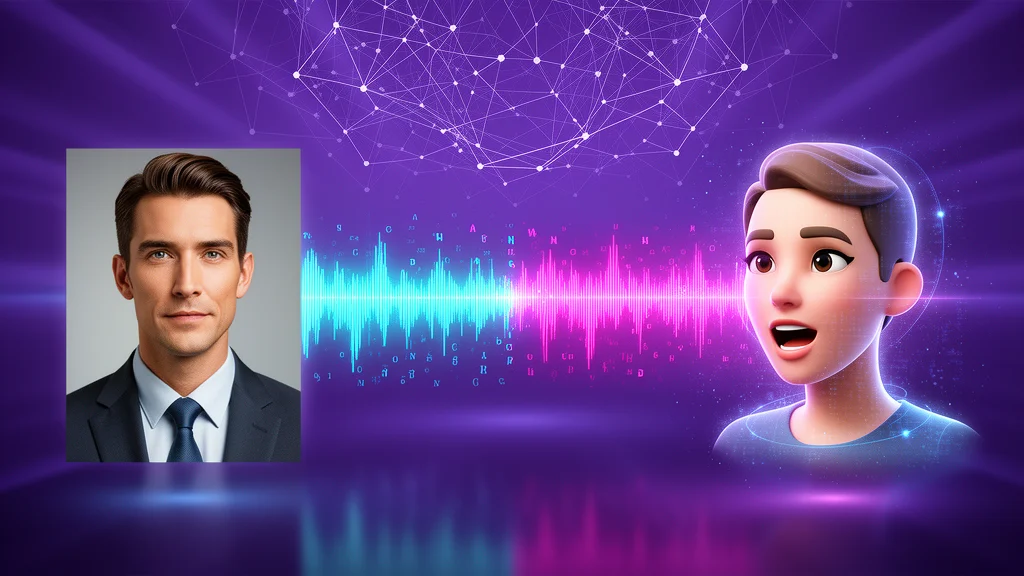
AI avatar models are useful when a company needs presenter-style video without a shoot. The hard part is not generating a moving face. The hard part is making identity, voice, timing, message, rights, and review work well enough for business use.
For Teamday, avatar generation belongs inside a governed media workflow. Iris manages approved visual identity, Reel produces the clip, and Vince handles publishing handoff when the asset goes to YouTube.
Quick Picks By Workflow
| Workflow | Strong model profile | What matters | Teamday route |
|---|---|---|---|
| Talking-head explainers | High-quality avatar model | Face realism, lip sync, controlled emotion | Reel produces from an approved script |
| Localized video | Lipsync plus multilingual voice | Timing, pronunciation, translated pacing | Maya localizes, Reel generates |
| Social clips | Fast avatar workflow | Variant speed, cost, short-form fit | Nova briefs, Reel ships |
| Training videos | Stable presenter identity | Consistency across clips | Approved character library in a Space |
| Product walkthroughs | Avatar plus screen recording | Message clarity and timing | Reel combines presenter and product footage |
| Character content | Stylized avatar model | Expression and control | Iris defines character system |
Avatar, lipsync, and full video generation are different jobs. Do not choose a model until you know which workflow you need.
Avatar Vs Lipsync Vs Full Video
| Category | Input | Output | Best for |
|---|---|---|---|
| Avatar model | Text, voice, or presenter reference | New talking-head clip | Explain videos, training, updates |
| Lipsync model | Existing image/video plus audio | Mouth and face synced to audio | Dubbing, localization, repurposing clips |
| Full video model | Prompt or source frame | Scene or shot | Ads, cinematic clips, product scenes |
| Hybrid workflow | Script, voice, avatar, b-roll, captions | Finished video | Business publishing |
The hybrid workflow is where Teamday should win. Buyers do not want an isolated lipsync file; they want a reviewed video asset.
What To Test
Lip sync
Bad lip sync kills trust immediately. Test difficult phonemes, names, acronyms, and product vocabulary.
Identity consistency
The avatar should still look like the source across head turns, expressions, and lighting changes.
Emotion
Most business videos need restrained expression. Overacting feels synthetic. Underacting feels lifeless.
Voice pairing
The avatar model is only half the workflow. The voice model and script pacing determine whether the clip works.
Reviewability
The final artifact must preserve the script, voice, source image, model, date, and reviewer notes. Otherwise, avatar production becomes impossible to govern.
Teamday's Governed Avatar Workflow
- Iris creates or approves a character or presenter identity.
- Maya writes a short script tied to a campaign, article, support topic, or training need.
- A voice model generates narration.
- An avatar or lipsync model creates the presenter clip.
- Reel combines avatar, captions, b-roll, product footage, and music.
- Vince prepares publishing metadata and upload handoff when needed.
- The workspace stores all source assets and approval notes.
That is the traffic magnet: public proof that AI employees can turn written work into governed video assets.
Best Business Uses
- product update videos,
- internal onboarding,
- customer education,
- SEO article summaries,
- multilingual explainers,
- social clips,
- weekly executive updates,
- sales enablement snippets.
Where Avatar Models Fail
| Failure | Why it matters | Mitigation |
|---|---|---|
| Uncanny delivery | Viewers distrust the message | Use restrained emotion and short clips |
| Bad lip sync | Breaks credibility immediately | Test hard vocabulary before committing |
| Weak voice pairing | Good face plus bad audio still fails | Choose voice before final avatar generation |
| Rights ambiguity | Public use can become risky | Use approved source images and licensed voices |
| No review trail | Teams cannot reuse or audit assets | Store script, sources, model, and approval notes |
Recommended Teamday Mission
Create a monthly "Avatar Explainer Batch" mission:
- Pick three articles, product updates, or training notes.
- Write 30- to 60-second scripts.
- Generate narration and avatar clips.
- Assemble captions and supporting visuals.
- Save approved files and reviewer notes.
- Publish or queue the assets for distribution.
Related Teamday Pages
- Reel, video producer
- Iris, visual designer
- Vince, YouTube manager
- Best AI voice models
- Best AI video models
- Missions
- Showcase
Avatar models are a distribution tool. They turn written work into video assets faster than a human production cycle when they sit inside a reviewed workflow.