
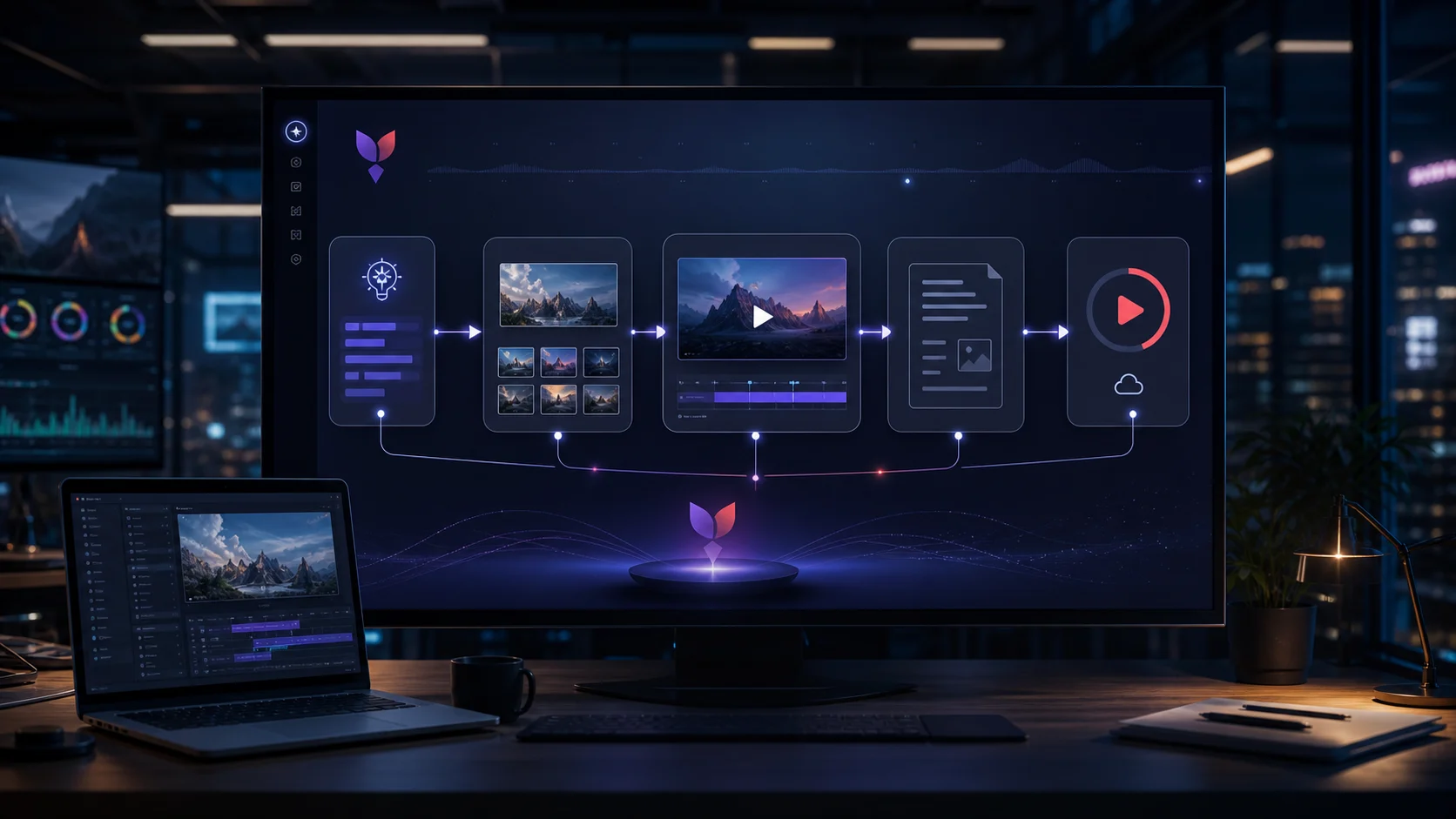
Teamday Can Now Generate a Video and Upload It to YouTube Automatically
Most AI video demos stop at the exciting part: a clip appears.
That is not where work ends. A real video workflow has boring edges. You need a prompt, keyframes, motion, a final file, title, description, privacy setting, upload credentials, a verified URL, and a clean handoff so somebody can publish, review, or distribute it.
This week we wired that full loop into Teamday.
Not a mockup. Not a product slide. A Teamday agent generated a short video, uploaded it to YouTube as unlisted, verified the privacy status through the YouTube API, and returned the link inside the same Teamday chat.
The video above is intentionally simple. It is a smoke test. The point is not that this is a finished campaign asset. The point is that the entire production chain now works:
- generate a keyframe
- animate it into a short video
- save the artifact
- authenticate with YouTube
- upload as unlisted
- return the final URL
- confirm the privacy setting from the API response
That is the difference between "AI made a clip" and "an AI employee shipped a video task."
What actually happened
The agent was Teamday's YouTube Manager. Its job is narrow on purpose: turn a video idea into a generated clip, upload it cleanly, and return the operational details a human needs.
The prompt was straightforward:
Generate a very short Teamday test video. Upload it to YouTube as unlisted. Use the title "Teamday YouTube Manager smoke test." Return the final URL, privacy status, source artifact path, and any failures.
The agent inspected the available tools and credentials, then chose the cheapest viable route:
- Seedream 4.0 for the keyframe
- Seedance 2.0 Fast for image-to-video
- YouTube Data API for upload
- unlisted privacy by default
The final result:
| Field | Result |
|---|---|
| YouTube URL | youtube.com/watch?v=fGRuwq_tdPw |
| Privacy | unlisted |
| Generated file | /ws/marketing/video_projects/smoke-test/final/smoke-test.mp4 |
| Duration | 5 seconds |
| Resolution | 720p |
| Estimated video generation cost | USD 0.36 |
| Upload verification | confirmed by YouTube API |
The important part is not the specific file. The important part is the loop: Teamday now has an agent that can produce the asset and place it on the channel.
Why this matters
Video production is usually split across too many surfaces.
One tool writes the script. Another creates images. Another creates motion. Another edits. Another stores the file. Another uploads. Another manages titles, descriptions, tags, and privacy.
That fragmentation is why teams do not ship as much video as they intend to. The work is not one big creative act. It is a chain of small decisions and small handoffs. Each handoff is where momentum dies.
Teamday's approach is different: give the workflow to an agent with the right tools and a clear operating contract.
The YouTube Manager does not need to be a "creative genius." It needs to be reliable:
- pick a generation path based on available credentials and cost
- avoid making uploads public unless explicitly asked
- write a usable title and description
- keep the source artifact path
- report exactly what failed when something breaks
That is what a business agent should do. It should reduce the surface area between intent and shipped work.
The workflow in Teamday
In Teamday, the workflow looks like this:
- Open your YouTube Manager agent.
- Give it a brief.
- Tell it the intended privacy state:
private,unlisted, orpublic. - Let it generate or locate the source video.
- Let it upload through the YouTube connector.
- Review the returned URL and metadata.
A practical prompt:
Create a 15-second product teaser for our new feature.

Use a calm, premium SaaS style.
Show three beats:
1. A founder gives a rough brief.
2. AI agents generate the assets and assemble the video.
3. The final campaign is ready to publish.

Upload it to YouTube as unlisted.
Title: How our AI team ships video campaigns
Description: A short generated demo from our Teamday workspace.

Return:
- YouTube URL
- privacy status
- source file path
- generation model used
- estimated cost
- anything that failed
For internal review, use unlisted. For drafts you are not ready to share, use private. Only use public when you have already approved the asset, description, thumbnail, and channel placement.
What you need
To run this workflow in your own Teamday workspace, you need three things:
1. A Teamday agent with video skills
The agent needs access to Teamday's image/video generation skills and a simple operating prompt. The default YouTube Manager is built for this: generate the source asset, upload it, verify it, and report the result.
2. YouTube authorization
You authorize Teamday to upload videos to your YouTube channel through Google's OAuth flow. The agent should never ask you to paste raw Google credentials into chat. It should use the saved YouTube connector.
3. Media generation capacity
The test above used Seedance 2.0 Fast because it was the right balance of speed, quality, and cost. Your workspace can use different models depending on what is enabled: Seedance, Kling, Wan, image-only slides assembled with FFmpeg, or a manual source video you already have.
If you already have a finished video, the workflow becomes simpler: the agent skips generation and only handles metadata, upload, privacy, and verification.
The operating principle
The best version of this is not "AI makes viral videos."
That framing is too shallow.
The better version is:
Every repeatable content operation becomes an agent workflow.
Product update video? Agent.
Customer onboarding walkthrough? Agent.
Weekly YouTube short from the latest blog post? Agent.
Founder hiring post turned into a short clip? Agent.
The human still sets direction. The human still approves what matters. But the tedious chain from idea to upload should not require five browser tabs and three different accounts every time.
What we learned from the smoke test
The test exposed the right kinds of problems.
First, generation and upload are not enough. The agent must also report operational evidence: file path, model, cost, privacy status, and failure state. Without that, you cannot trust it in a business workflow.
Second, default privacy matters. Teamday's YouTube Manager uploads as unlisted unless told otherwise. That is the right default. Automation should not accidentally publish unfinished media.
Third, provider routing matters. The agent checked what was available, avoided unavailable providers, used ModelArk where it had credentials, and completed the job without a human fixing the path mid-run.
Fourth, the boring backend pieces matter as much as the creative model. OAuth token storage, runner secrets, durable files, queue execution, and API verification are not glamorous. They are what make the workflow real.
Try it
If you are already using Teamday, create or open a YouTube Manager agent and give it a concrete video brief. Start with unlisted.
If you are evaluating Teamday, this is the kind of work the platform is built for: agents that do real cross-tool execution, not just chat about tasks.
The next step is obvious: every company should have a small AI content team that can turn a brief into a shipped asset while the human stays focused on judgment.
That is where Teamday is going.