
Use case · Internal tools
Internal Tools From Business Questions: Build the Planner Your Team Argues About
A working internal tool your team can open, built from a description, without a developer on the project.
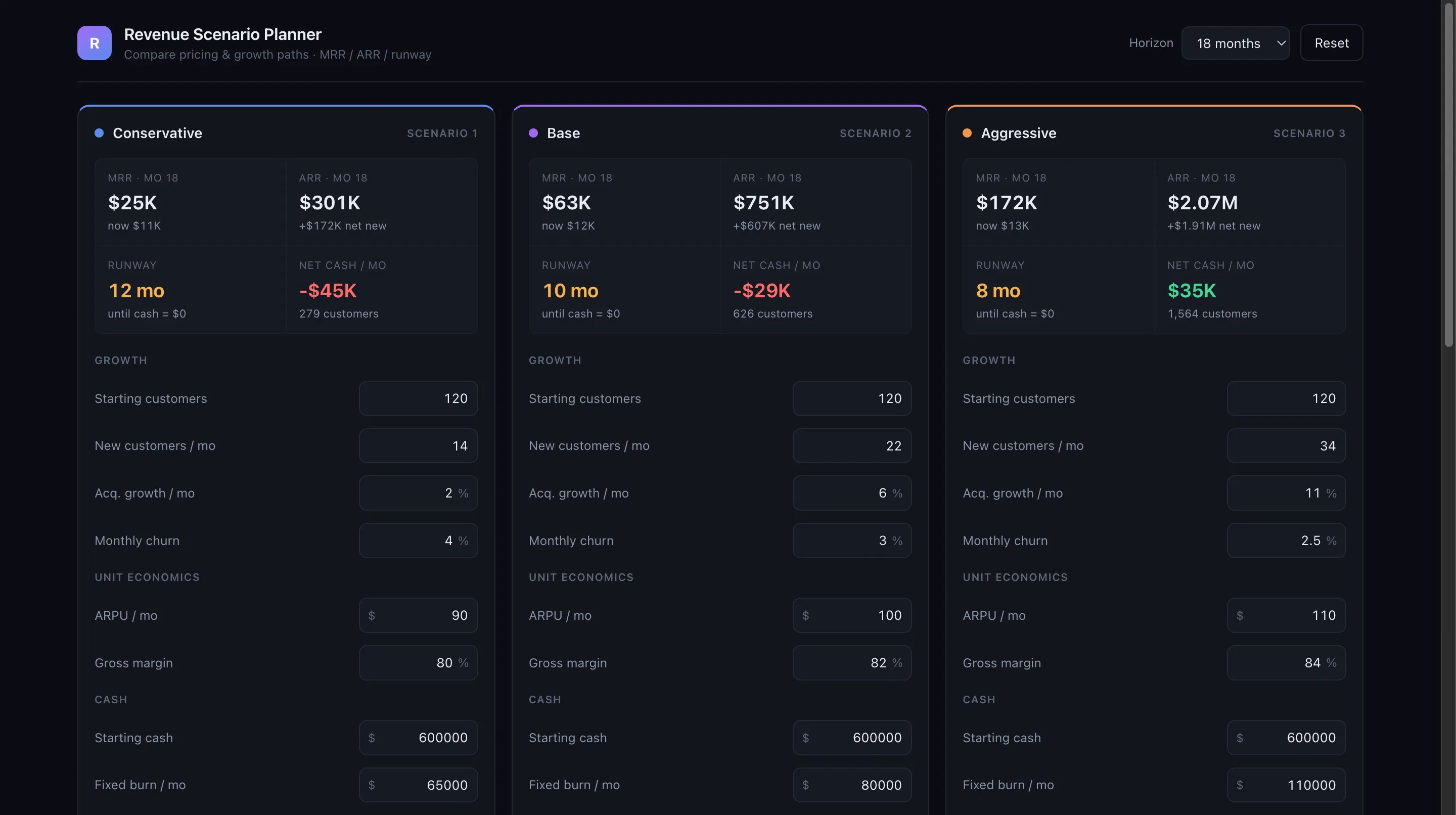
Every business runs on a few spreadsheets that only one person understands: the pricing calculator, the hiring plan, the revenue scenarios. In Teamday you describe the tool to Max, preview a working version, and share it with the team. It stays in your organization, and when the question changes, you change the tool.
How it works
- 1
Describe the job, not the code
Tell Max who the tool is for and what they should be able to do: enter three growth assumptions and see revenue by quarter, for example. Add the spreadsheet you use today as a reference.
- 2
Preview and refine
Max builds a working version you can open immediately. Ask for changes in chat: a different chart, an extra input, a clearer summary.
- 3
Connect real data when you need it
Tools can read from an organization-owned Postgres connection or approved external APIs connected with server-side credentials. Start with typed inputs and add data when the tool has proven useful.
- 4
Share it with the team
Publish the tool inside your Teamday organization or on its own address. The people who need it open it like any web page.
Who does it for you
Real work, not demos
- Revenue scenario planner — a finished tool from one brief
- Builder ship log — a month of real changes shipped by Max
Frequently asked questions
What kind of internal tools can be built?
Calculators, planners, trackers, dashboards over your own data, interactive guides, and small forms. If it fits on a few screens and has clear inputs and outputs, it is a good candidate.
Do I need a developer?
No. You describe the tool and review it. Max writes and runs the code. A developer on your team can inspect or extend the result if you want.
Where does the data live?
Inputs stay in the tool. If the tool needs company data, it connects to a Postgres database your organization owns or to approved external APIs with server-side credentials. Teamday does not copy your database.
Keep going
- AI Weekly Marketing Report: Know Every Monday What Moved
- Run Your First AI Loop: Marketing That Repeats Itself
- Write Your Company AI Policy: Tell Your Team What Is Allowed
A working internal tool your team can open, built from a description, without a developer on the project.
Put your team to work →Bring your own Claude or ChatGPT account and use Teamday free for 14 days, no card. Then it's $99/month with unlimited work on your own AI account — or, with no AI account, pay as you go with AI credits from $20, no subscription. 14-day money-back guarantee on paid plans.